 BitForge
 Name every guest. Scan them in at the door.
Events & Tickets runs the evening from the first booking to the last guest through the door. It was built for clubs, bars and promoters — the people for whom an event is a door, a list, and a queue outside — and it has since been used for seated dinners, concerts, conferences and weddings, because they are the same problem wearing different clothes.
Nothing in it is capped and nothing is metered. There is no per-ticket fee, no external service to sign up for, no account to create, and no telemetry. Your guest list lives in your own database, on your own server.
In the WordPress directory it is listed as Events Calendar, Tickets & Registration with QR Check-in — the words people search for. On your own screens it is simply Events & Tickets. Published by BitForge Network.
A calendar of your events, and a page for every one.
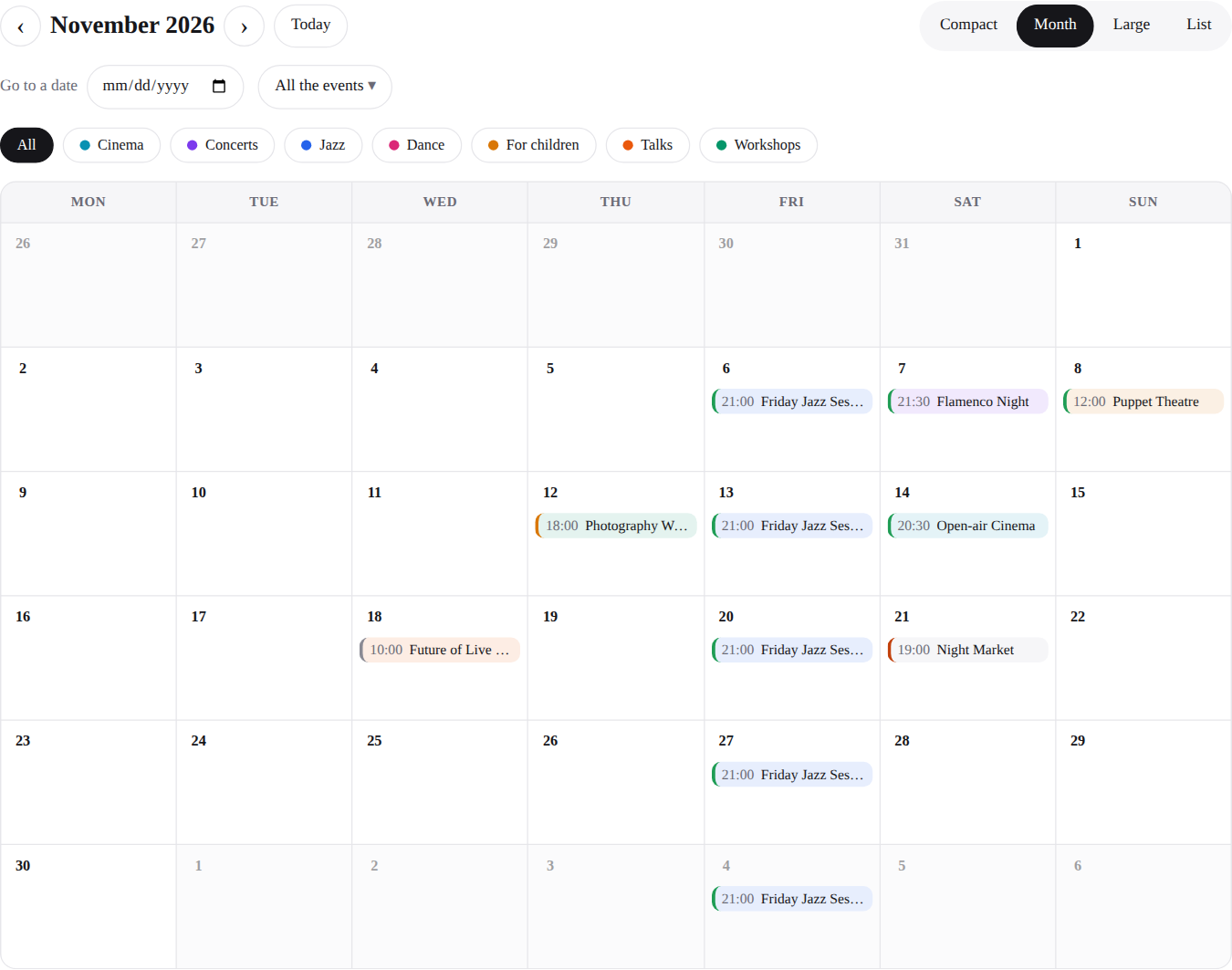
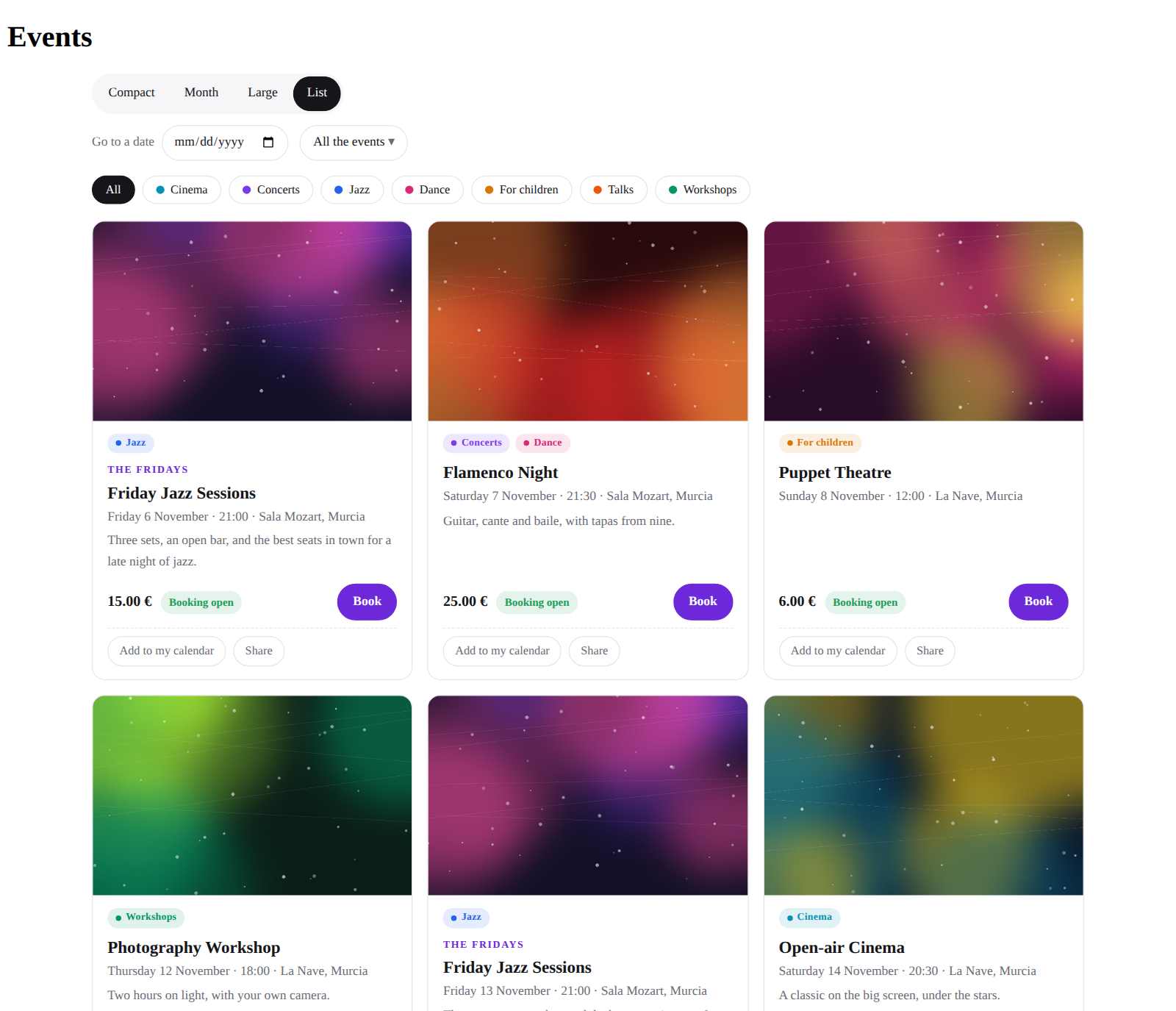
An agenda your guests can use. The events page shows it, and so does one shortcode, the Events agenda block in the editor or the Events agenda widget in Elementor. Four views — Compact, Month, Large with the pictures, and List, in rows or as a grid of cards. It shows dates, not events: every date of a series sits in its day with its own state — open, few places left, sold out, closed, cancelled. Guests go to a date, keep only the events they care about or one category, add a night to their calendar and share it.
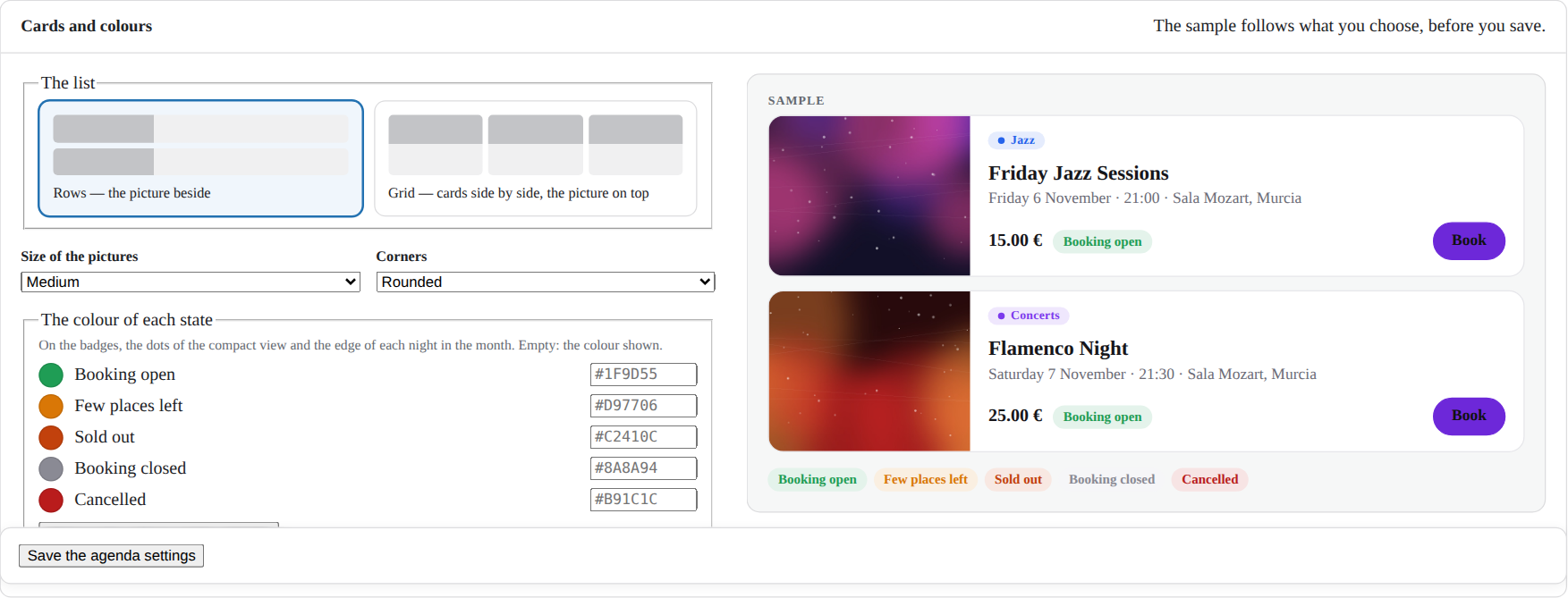
Shaped from one screen, while you watch. The view it opens on, the views on offer, the pictures and their size, rows or a grid, the corners, the colour of each state, your theme's style or its own — with a sample beside the settings that changes as you choose, before you save.
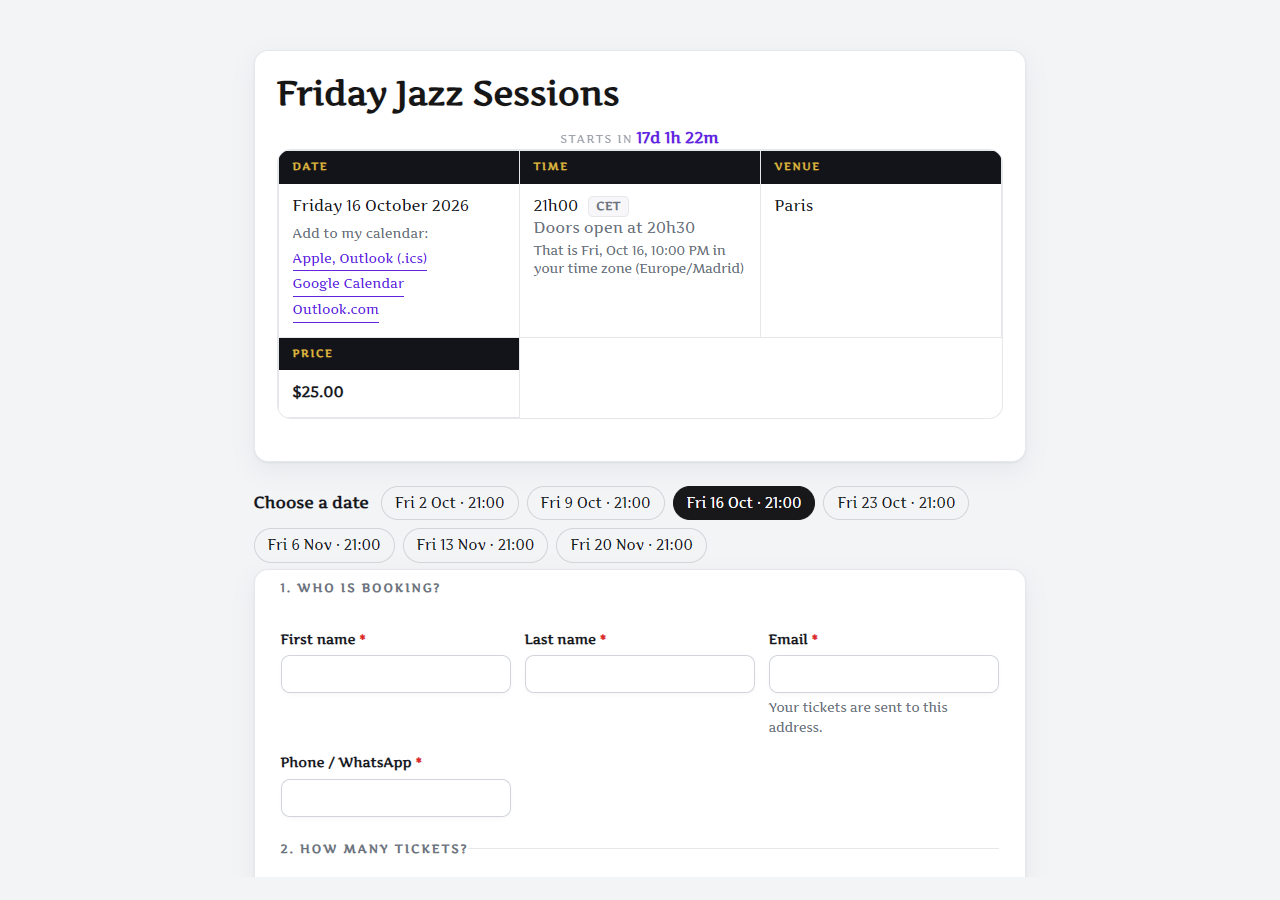
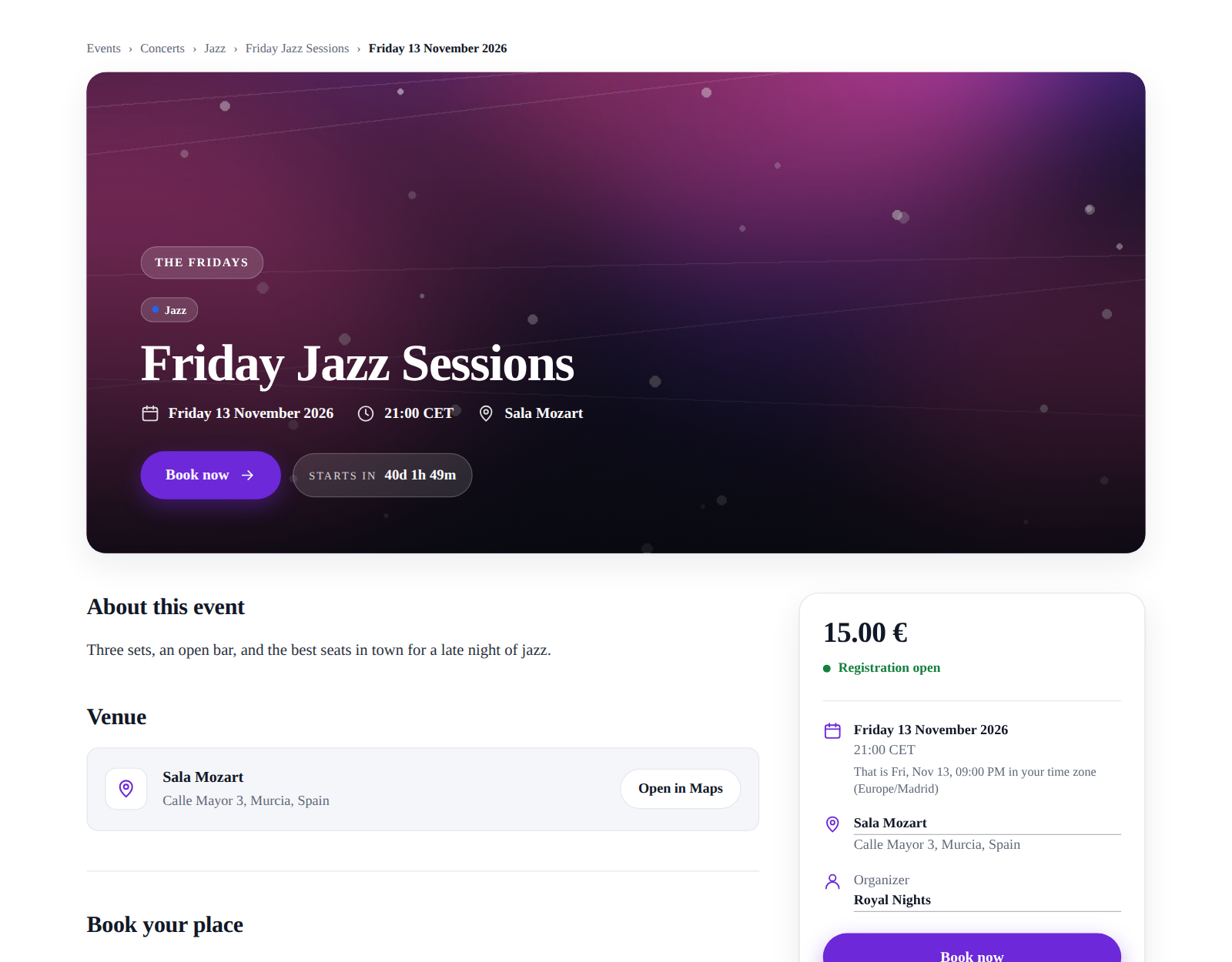
A page for every event, and for every date. One page lists every event to come, and under its address each event has its own — /events/opening-night/, and one more for each date of a series. The address speaks your site's language, the page wears your theme or the Classic look, and a series lets the guest pick the date on a small calendar. Built the page yourself, in the editor or in Elementor? Paste the event's shortcode there: the plugin finds it, and every link leads to it. Links already shared keep working.
Categories, each with a page
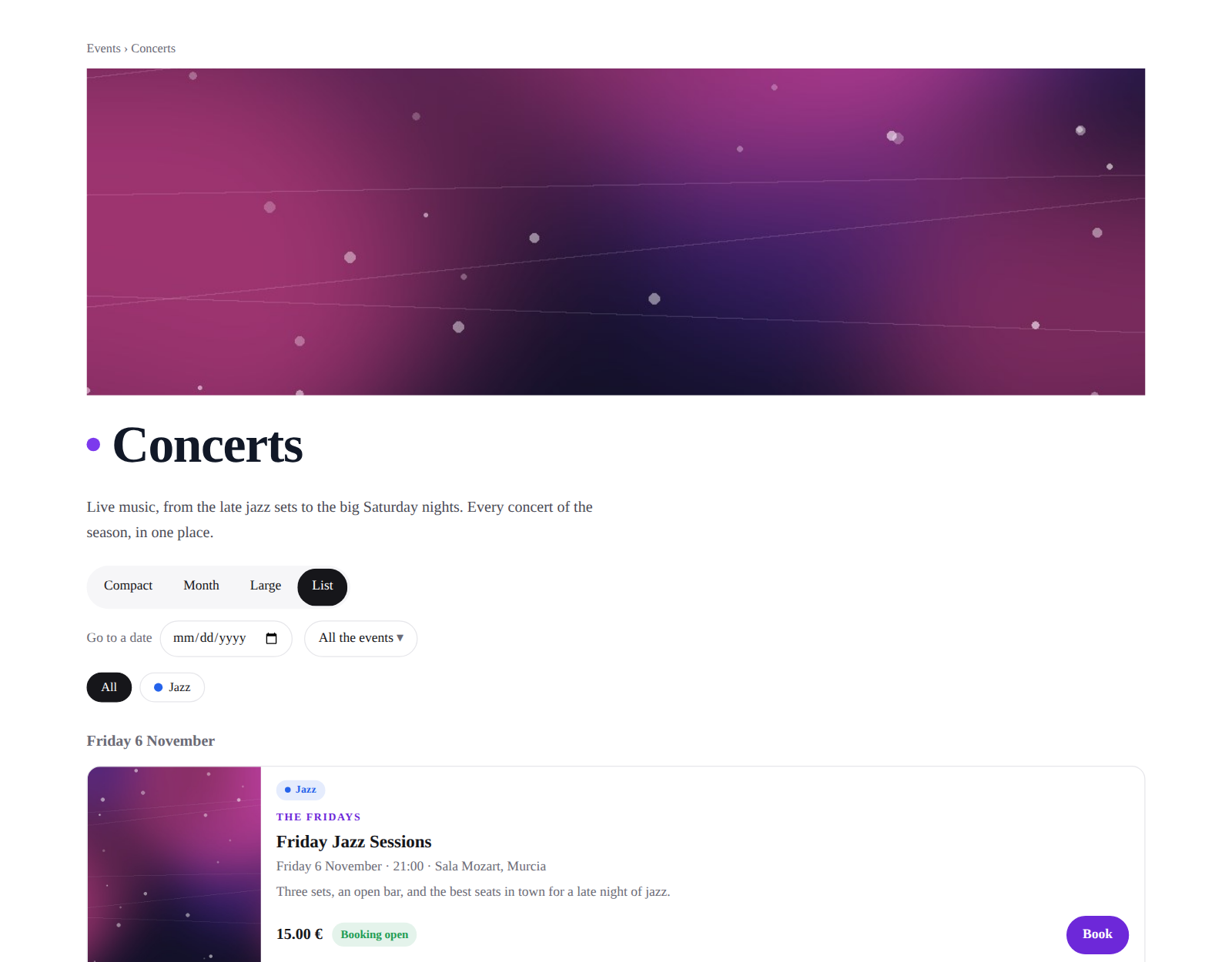
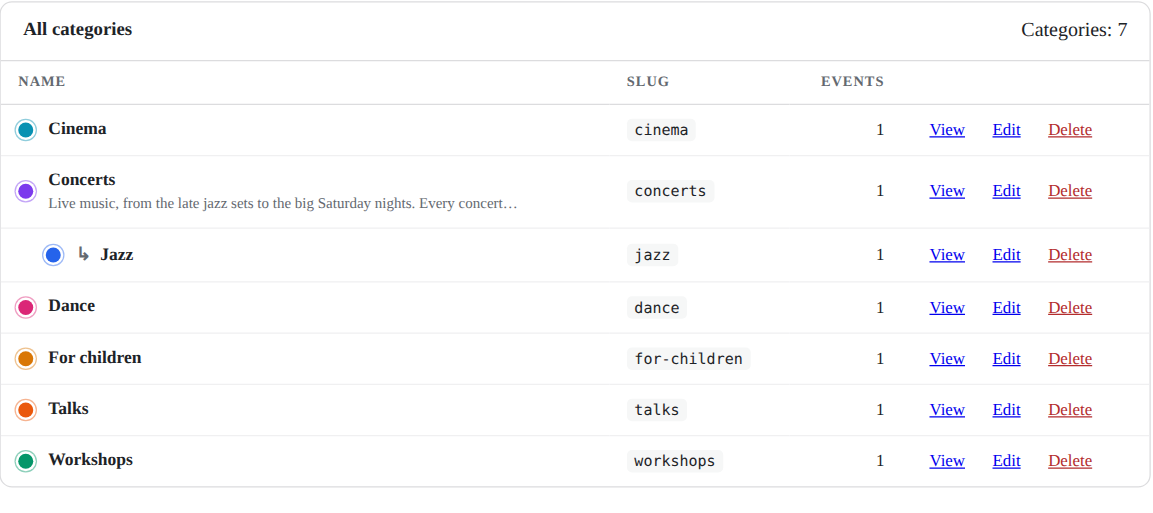
Sort events into families — Jazz under Concerts — each with a colour, a picture and a few words. Guests filter the agenda by them, and every category has a page with only its events.
A page for each venue and each organizer
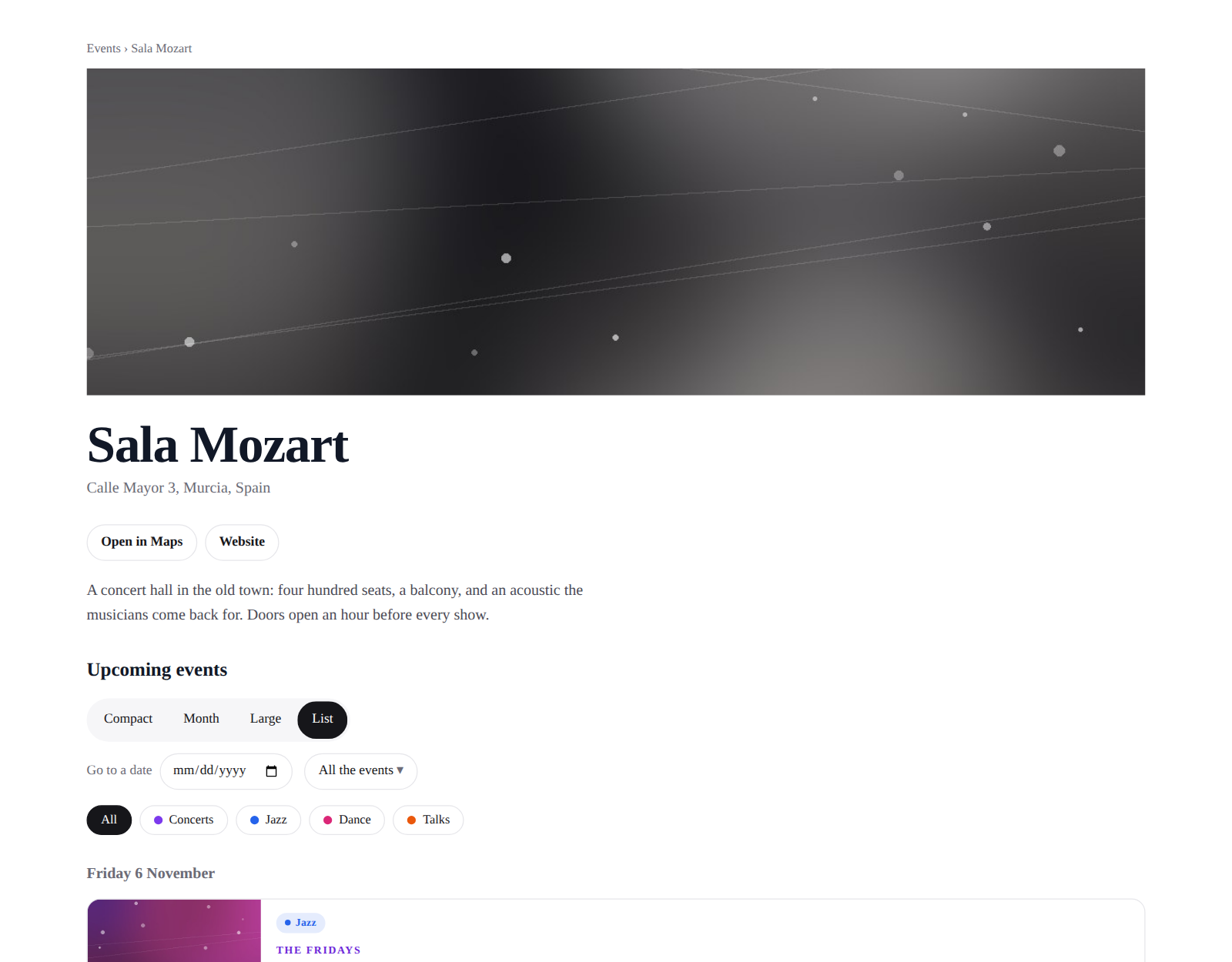
A venue's page shows the address, the map and the website; an organizer's, the logo, the tagline and the links. Each lists its events to come. An organizer's email and phone are never published.
Your own agenda, to run the season
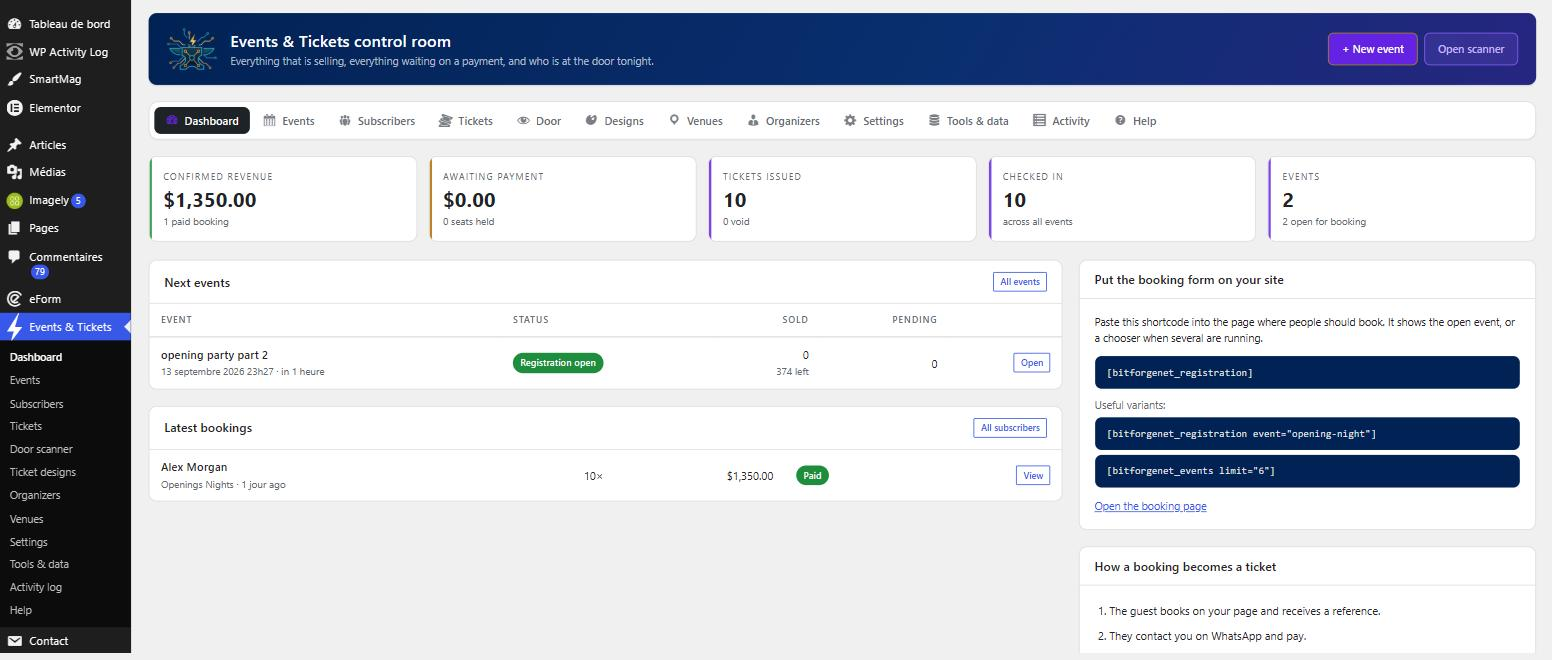
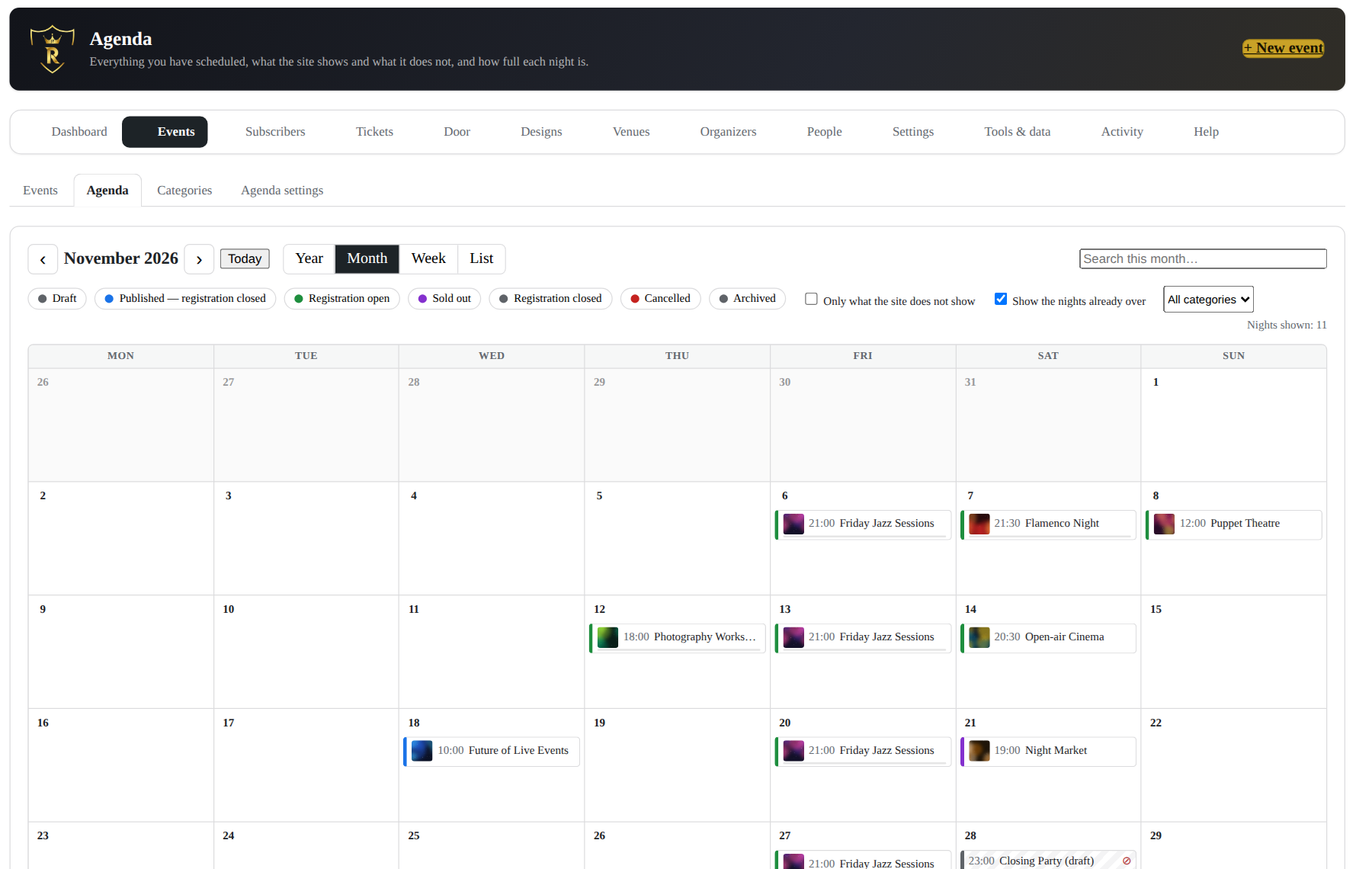
Every state, drafts included, what the site shows and what it hides, how full each night is. Drag a night onto another day; change several events at once; start a new event from the day it falls on. A booked night never moves from there.
Found by search engines
Every event page describes its date, place, line-up and prices in the data search engines read. A date of a series names its series, the series lists its dates, venues and organizers describe themselves, and every page carries its breadcrumb.
When it is full, when it sells, and what guests are told.
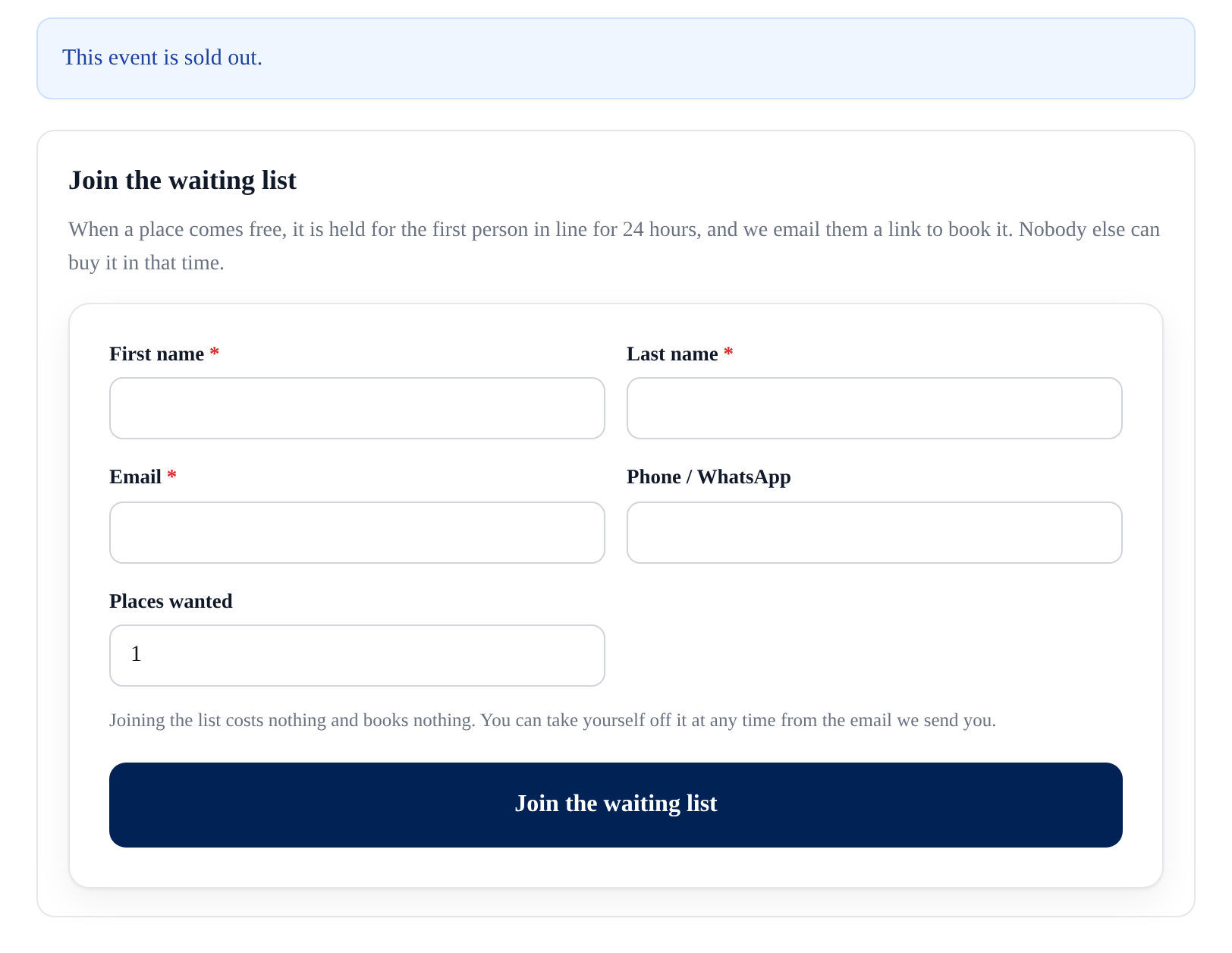
A sold-out night used to be the end of the conversation. Now it is a list of people who still want to come, reminders that bring in the ones who booked, and a few lines you can send to all of them — with no mailing service to sign up for, and no pixel in anybody's email.
A waiting list that is fair
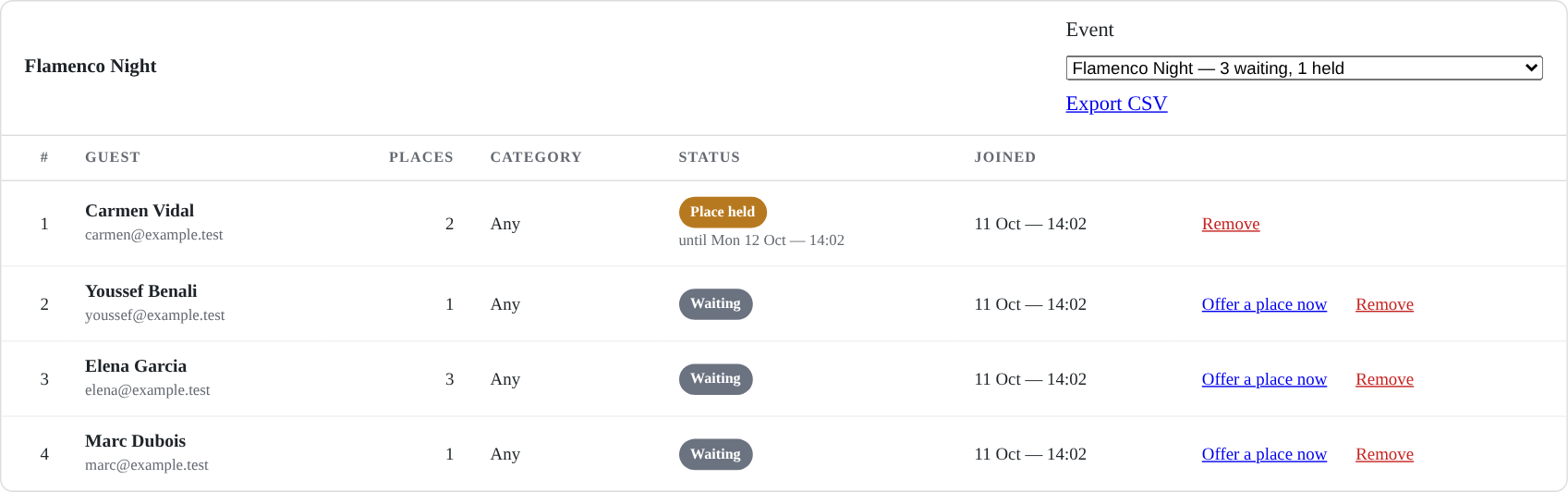
Under sold out, guests join the list. When a place comes free — a cancellation, a refund, a payment that ran out, a capacity you raised — it is held for the first in line, who gets a link to book it. Nobody else can take it meanwhile; if they let it go, it moves to the next. Held 24 hours by default, less close to the date.
Each category sells when you say
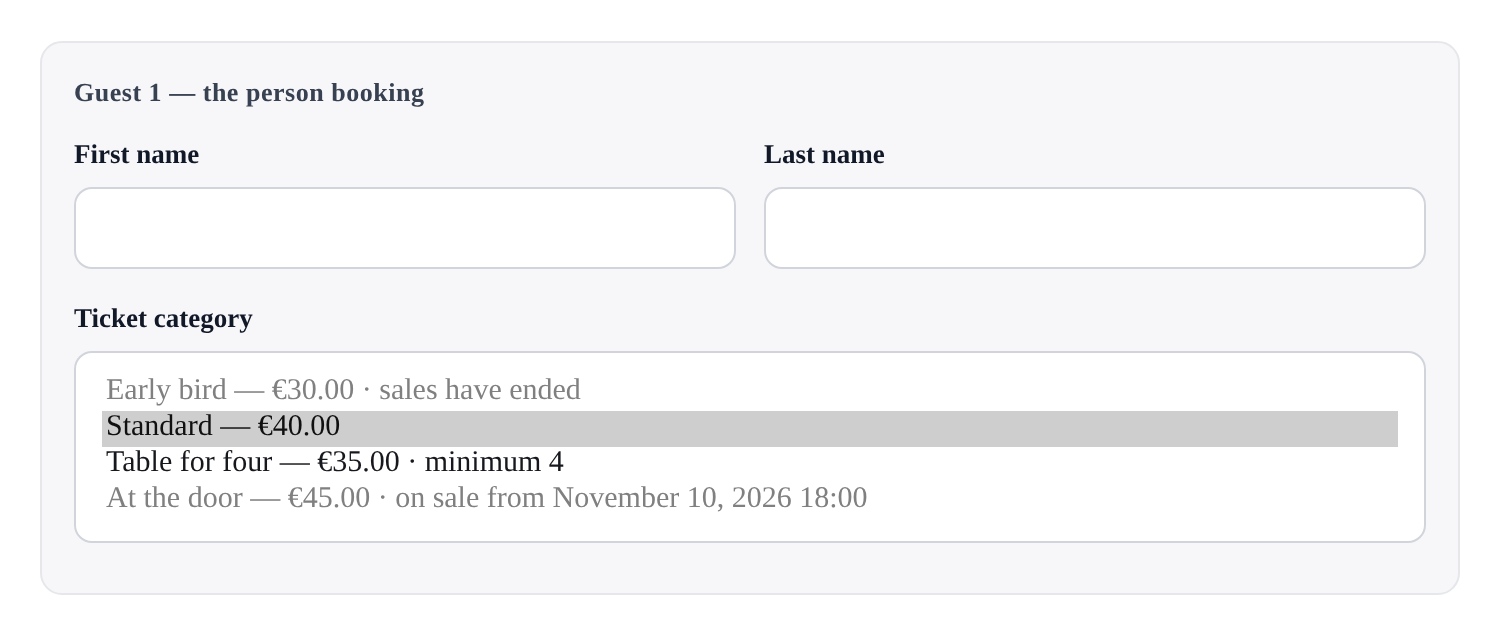
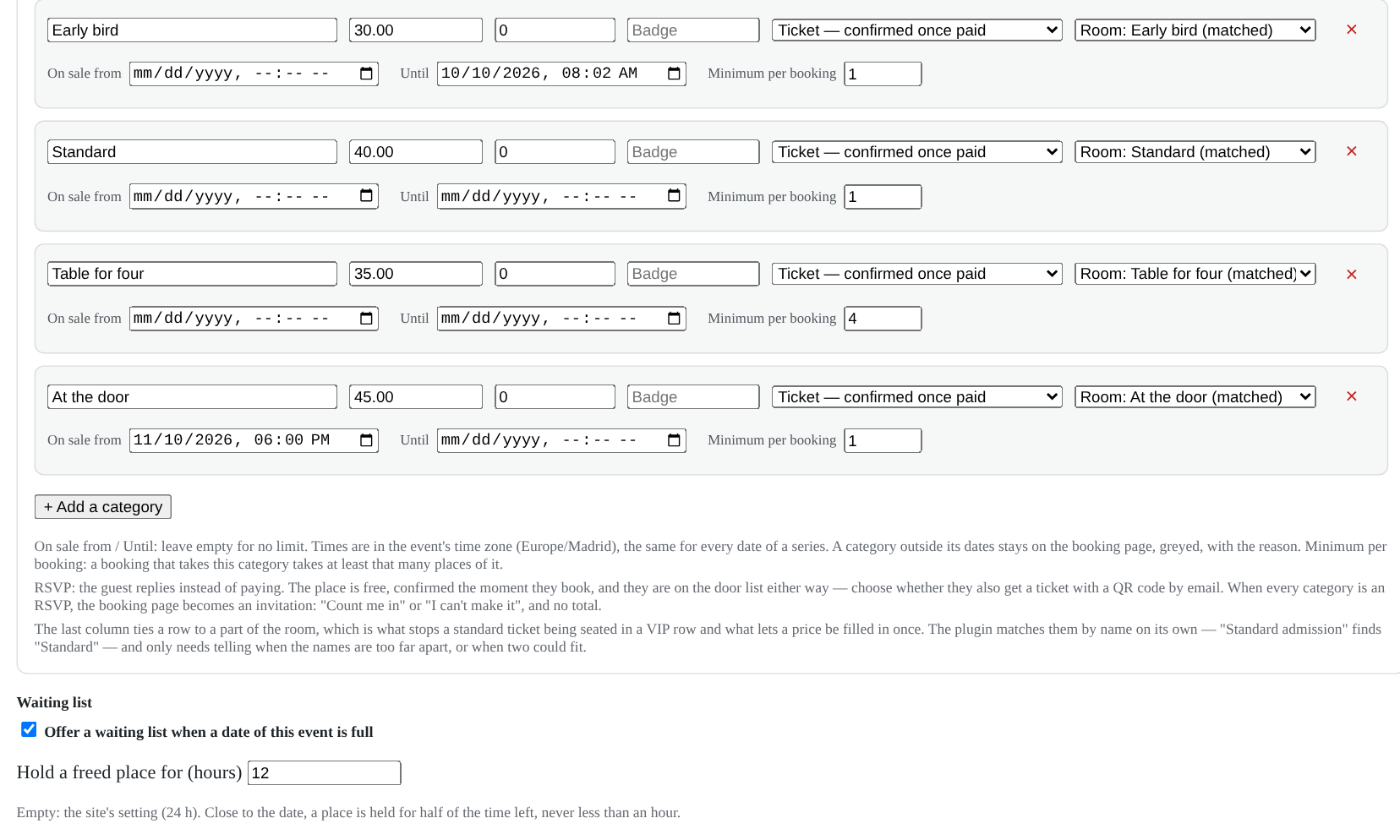
An early bird that closes on the 1st, a door price that opens on the day, a table sold by four. A category outside its dates stays on the page, greyed, with the reason — and the server refuses it, whatever the browser sends.
Reminders that bring people in
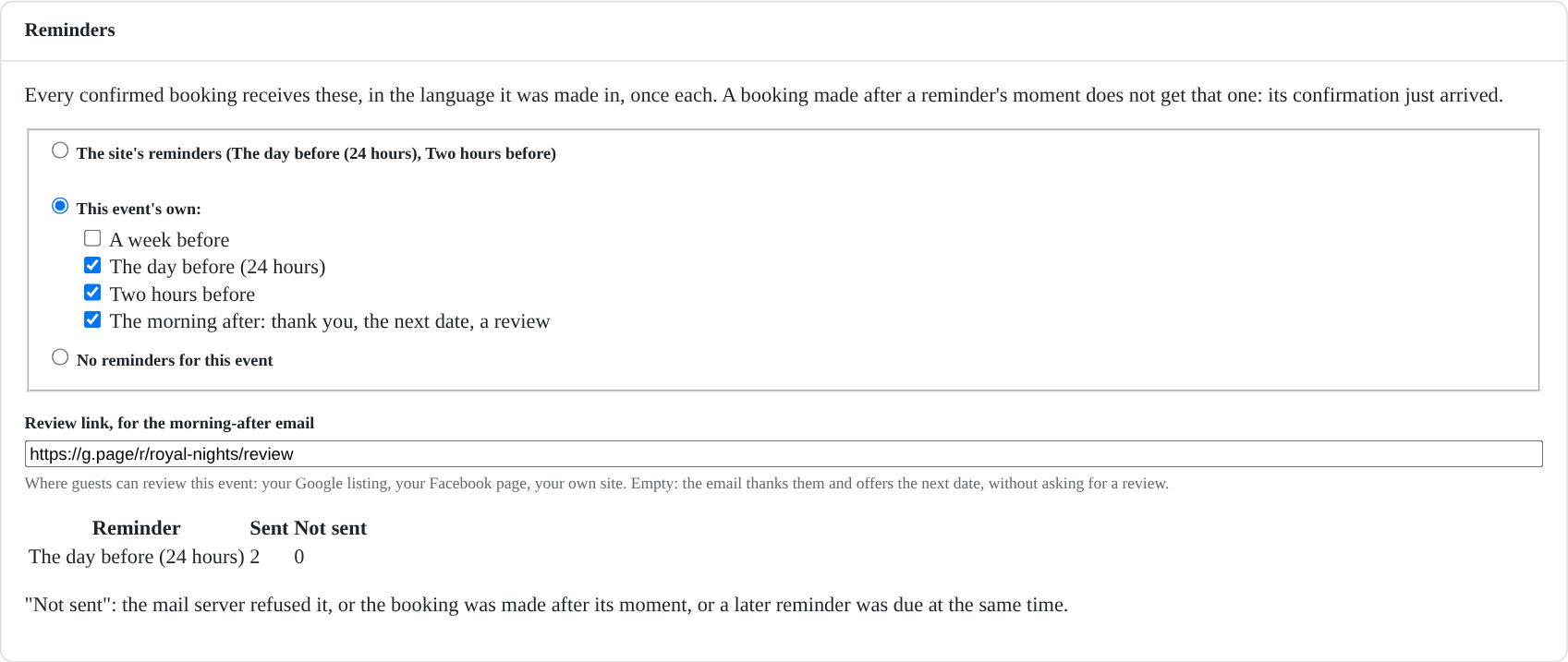
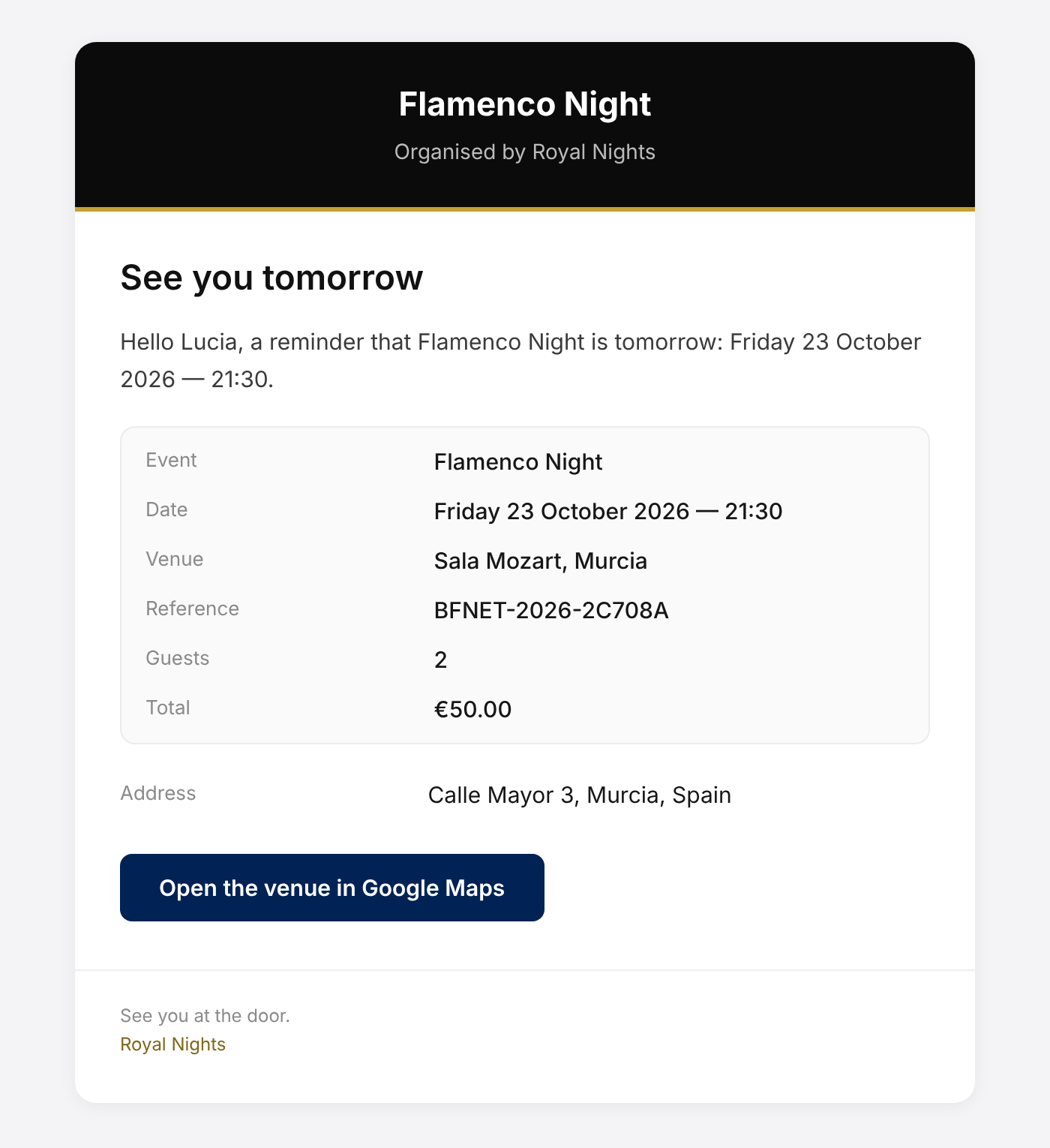
The day before and two hours before, in the language each guest booked in, once and only once. The morning after: a thank-you, the next date, and the link where they can review your event — your page, never ours.
Write to everybody who booked
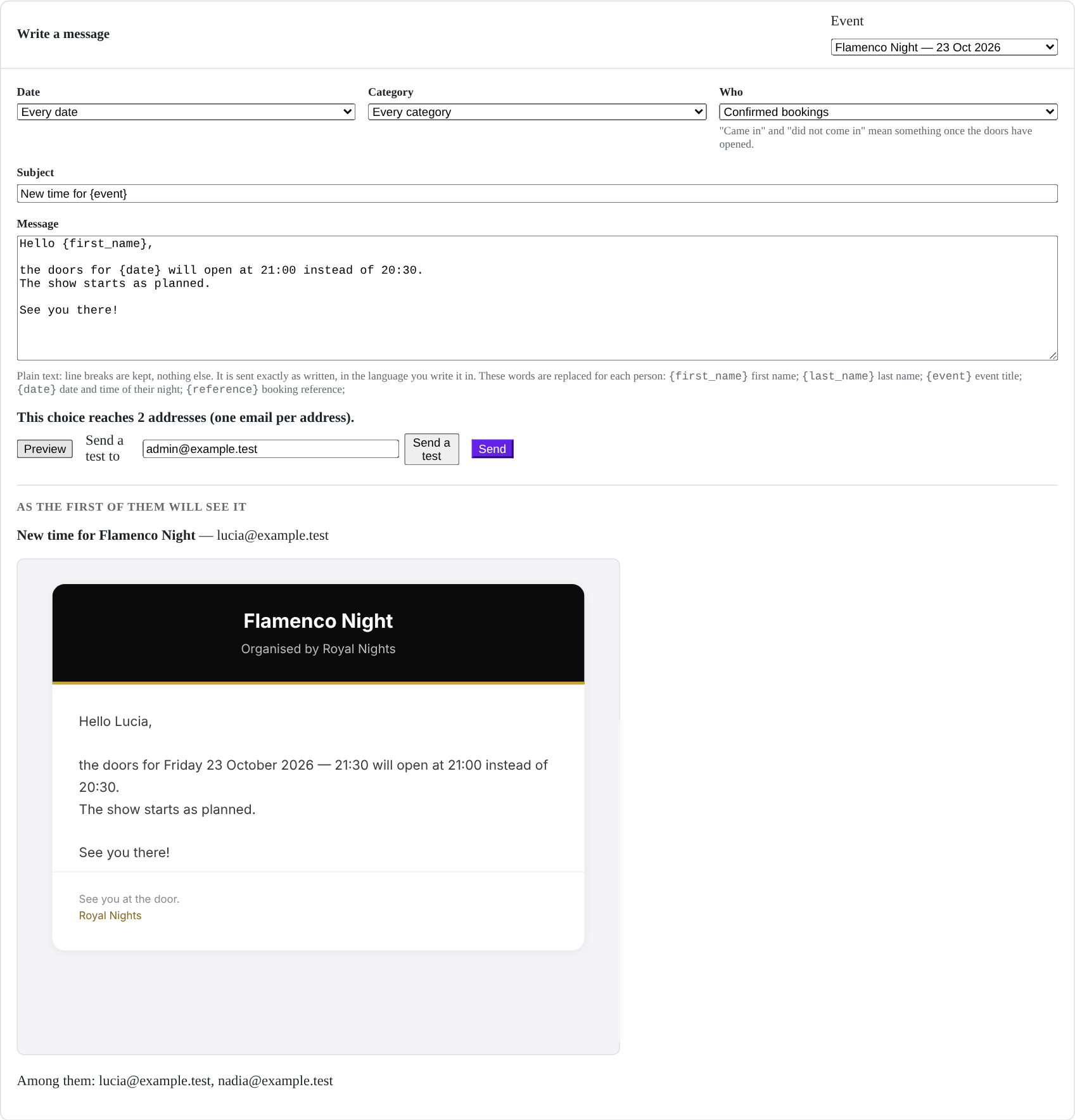
One date or all, one category or all; confirmed, waiting for payment, came in or did not. Preview it, send yourself a test, then send — one email per address, in batches your host accepts, with a record of each.
A page of their own, the money, and the paperwork.
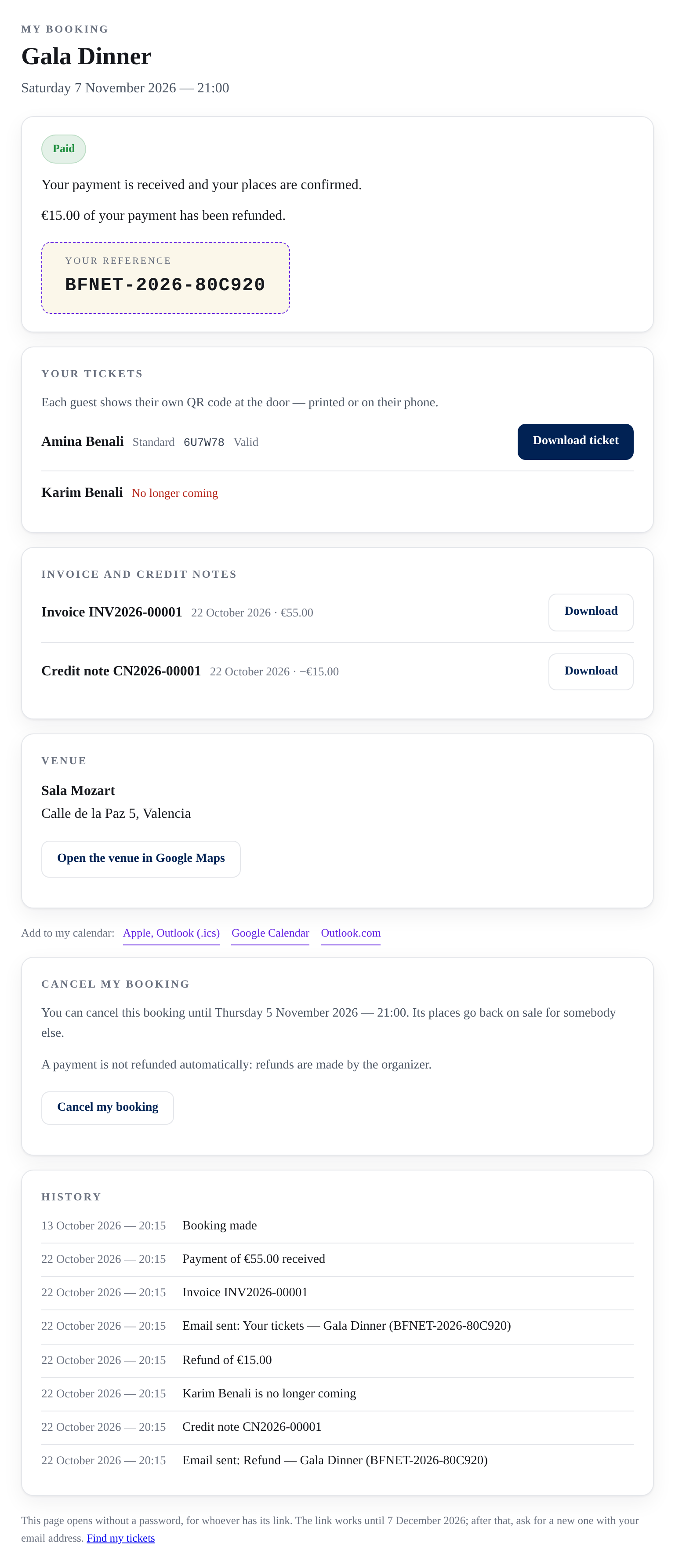
Once a guest has booked, the evening is not over for them, and the money is not settled for you. Every booking now has a page of its own, its money is followed apart from it, a refund gives the money back, invoices follow the money, the emails speak in your words — and the form asks what you need to know.
A page of their own, without an account
Every email about a booking leads to the guest's own page: where it stands, every guest and their ticket, the venue, the invoice, the history. Lost the email? Find my tickets sends the links to the mailbox, and never says whether an address has booked.
Cancel without writing to you
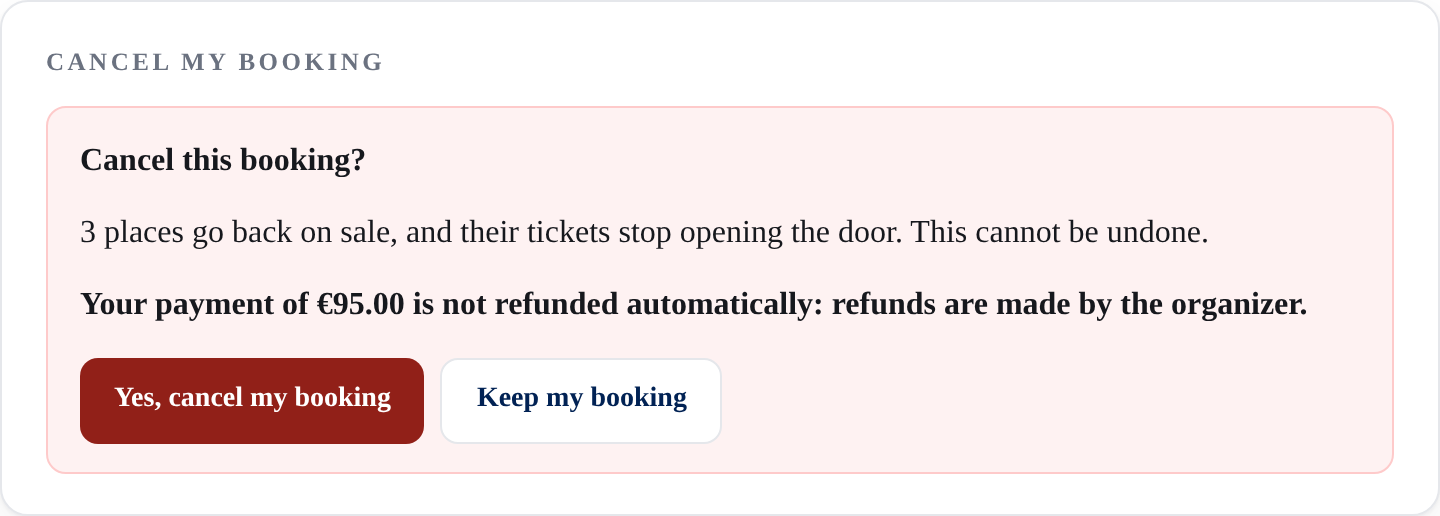
If you allow it, guests cancel from their page until the deadline you set — 48 hours before, by default. Their places go back on sale and the waiting list is served. The money stays where it is until you decide.
Refunds that give the money back
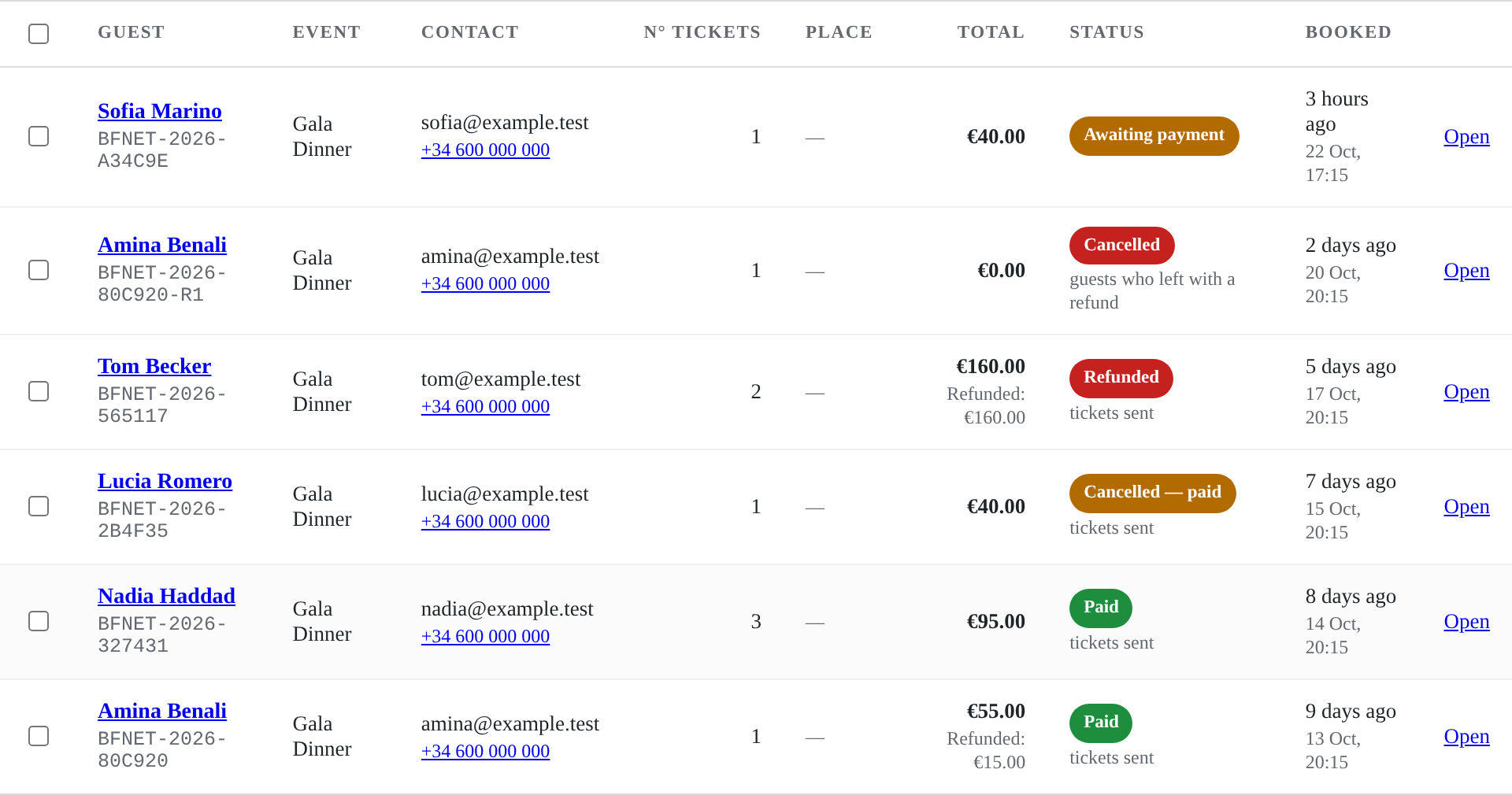
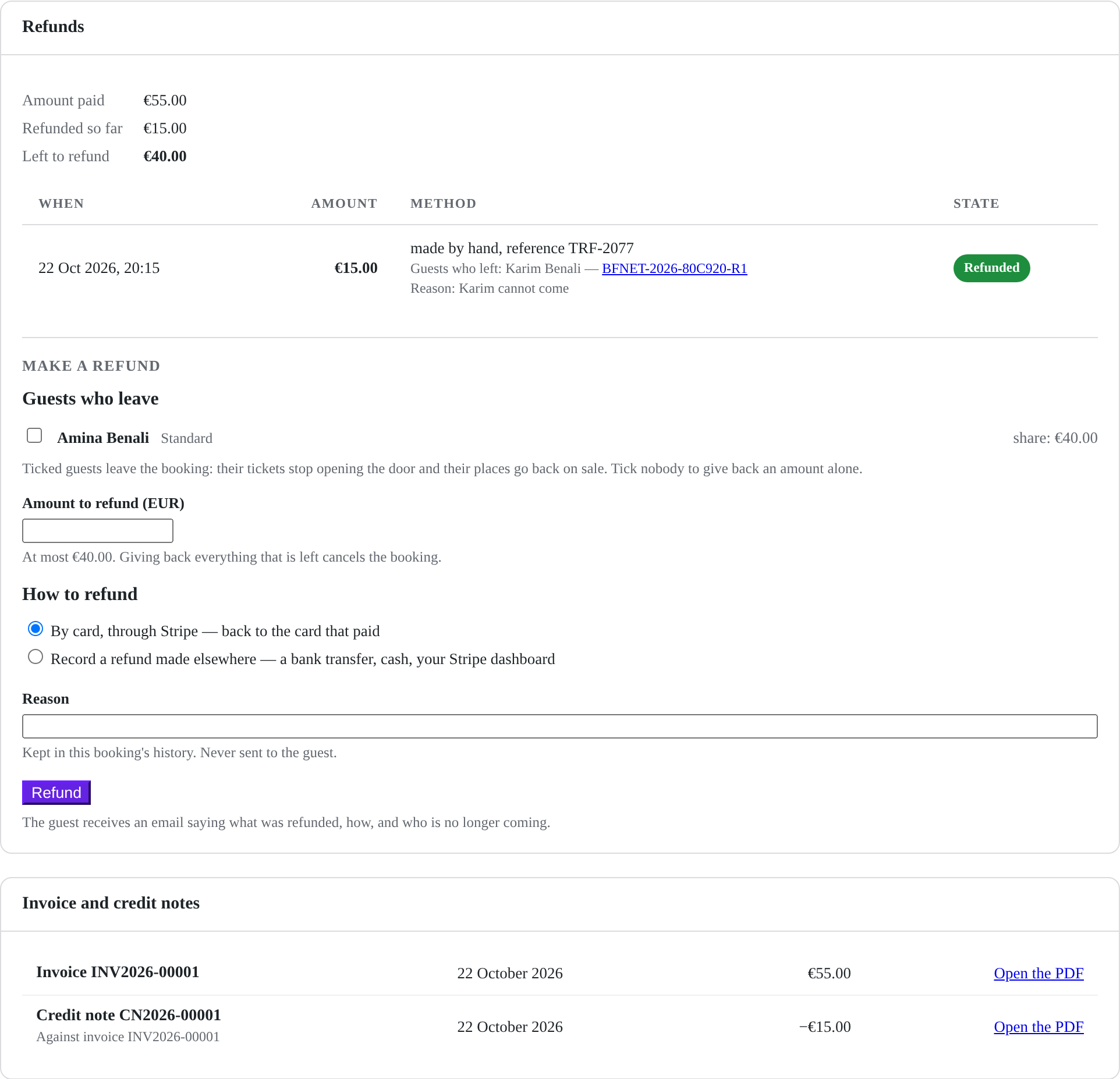
By card through Stripe, back to the card that paid, or recorded when you refunded by transfer or in cash. All of it or part: the guests who leave lose their tickets, their places go back on sale, and the guest is told what was refunded.
Invoices and credit notes, when you want them
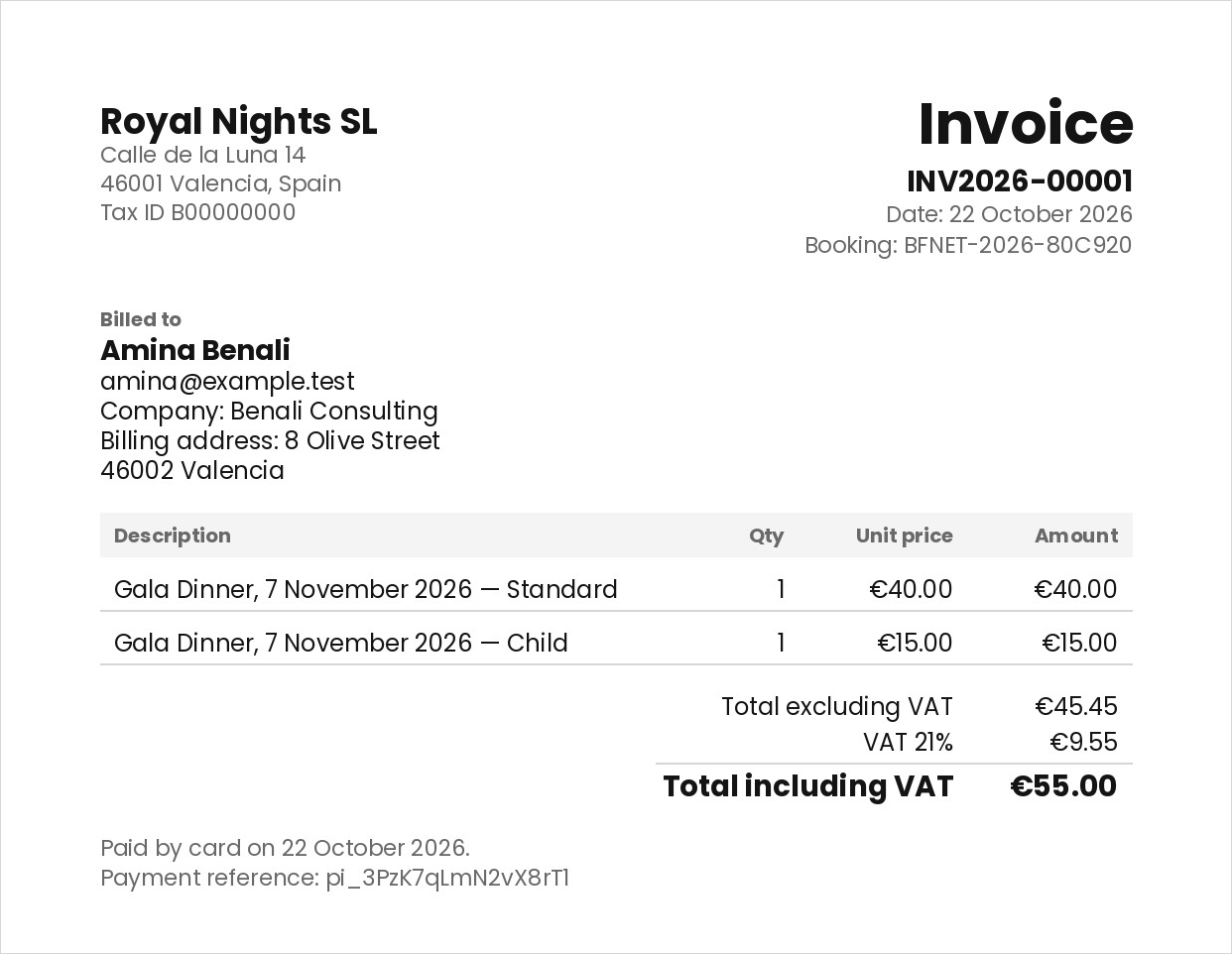
Off until you turn them on. Two series without a gap, an A4 PDF in your site's language, your name and legal details, VAT none or included. A credit note when money goes back. A spreadsheet for your accountant.
The emails, in your words
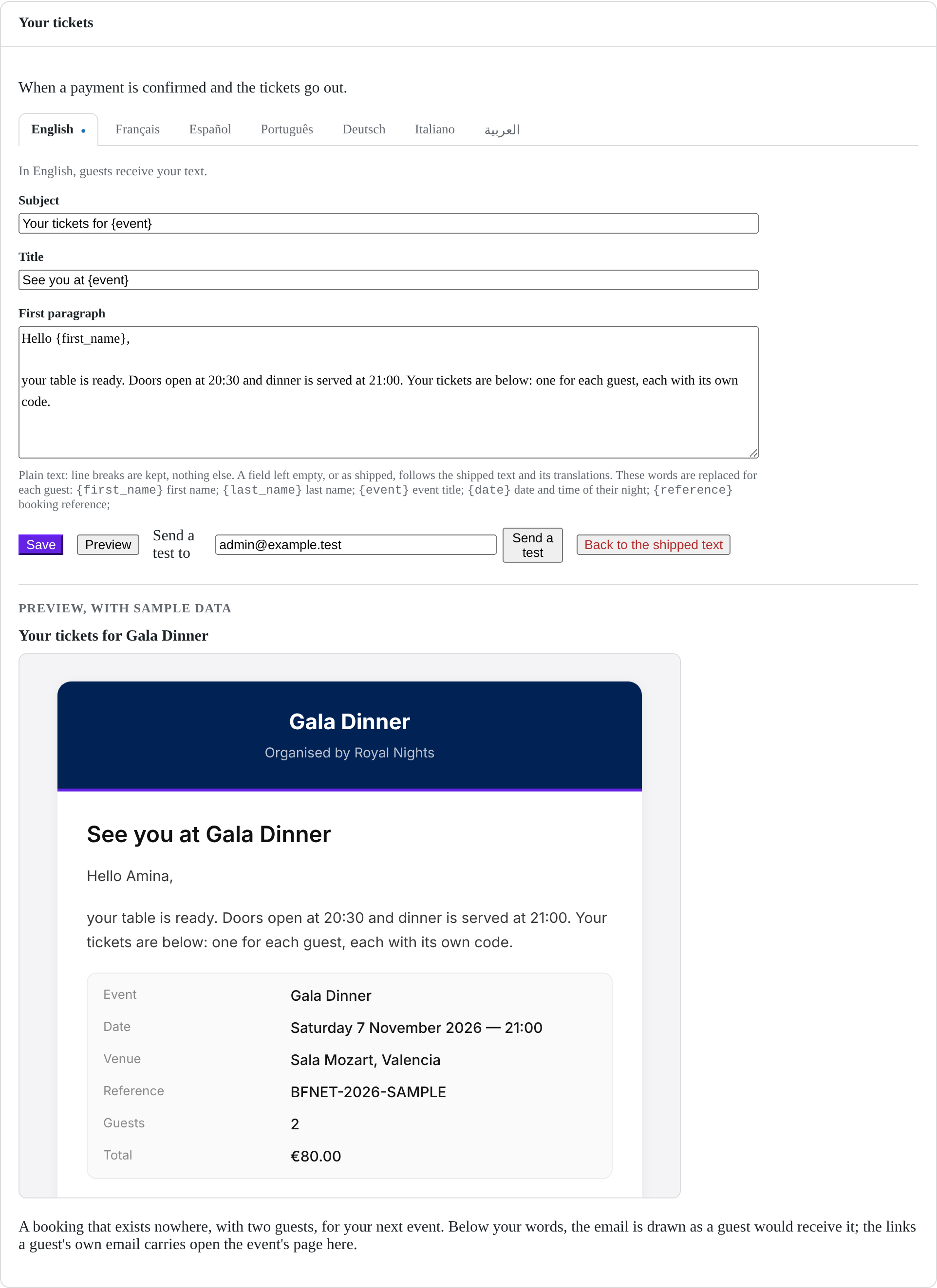
The subject, the title and the first paragraph of every email a guest receives, in each of the seven languages. Below them the plugin still writes the evening, the tickets and the links, so nothing goes missing.
Questions for your guests
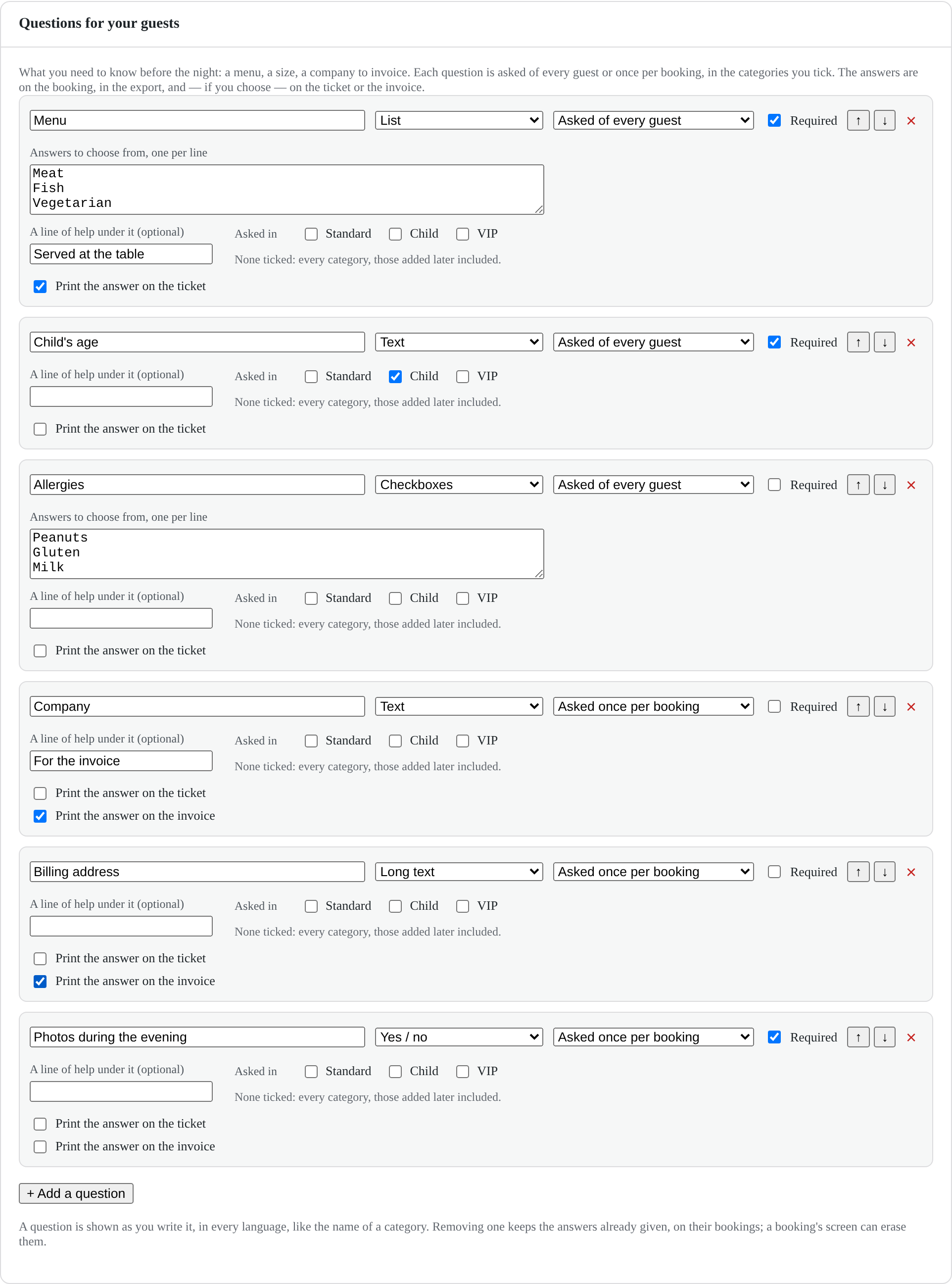
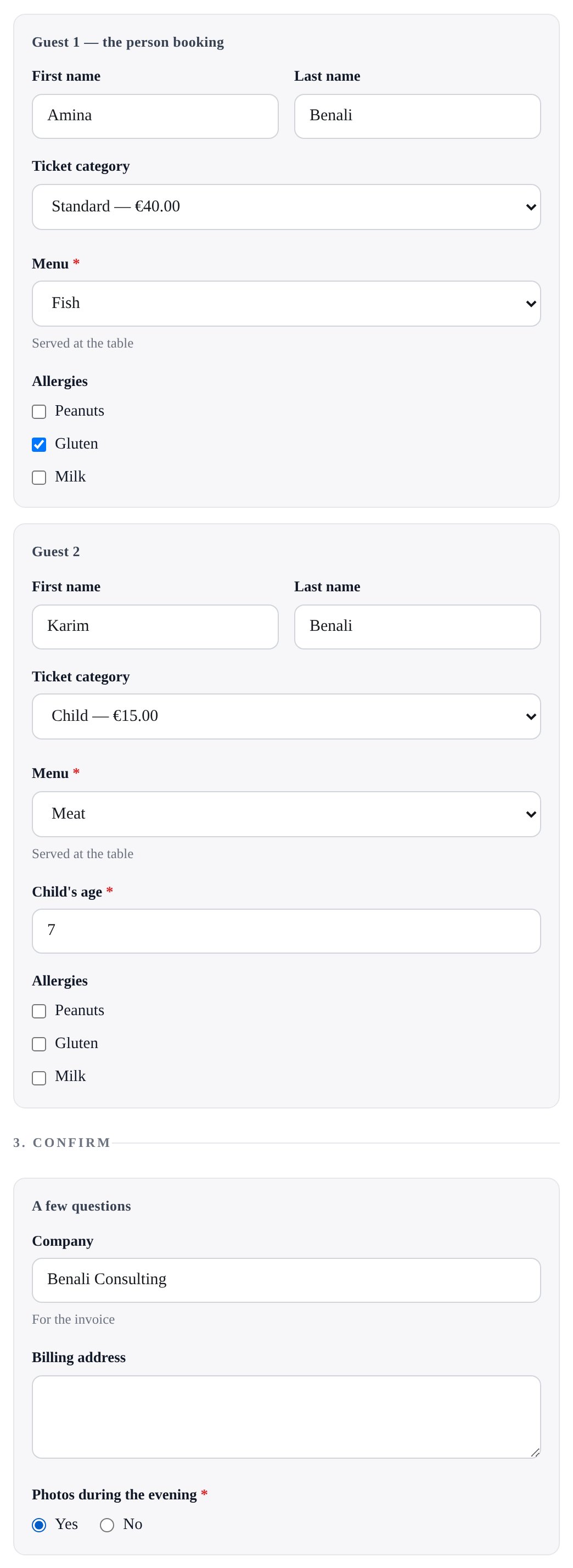
A menu, a size, a company to invoice — asked of every guest or once per booking, only in the categories they concern. On the booking, in the export, and on the ticket or the invoice if you choose.
Set an event up by answering questions, not by filling in a form.
Most ticketing plugins hand you a settings page and leave you to guess which of its forty fields your night actually needs. This one asks.
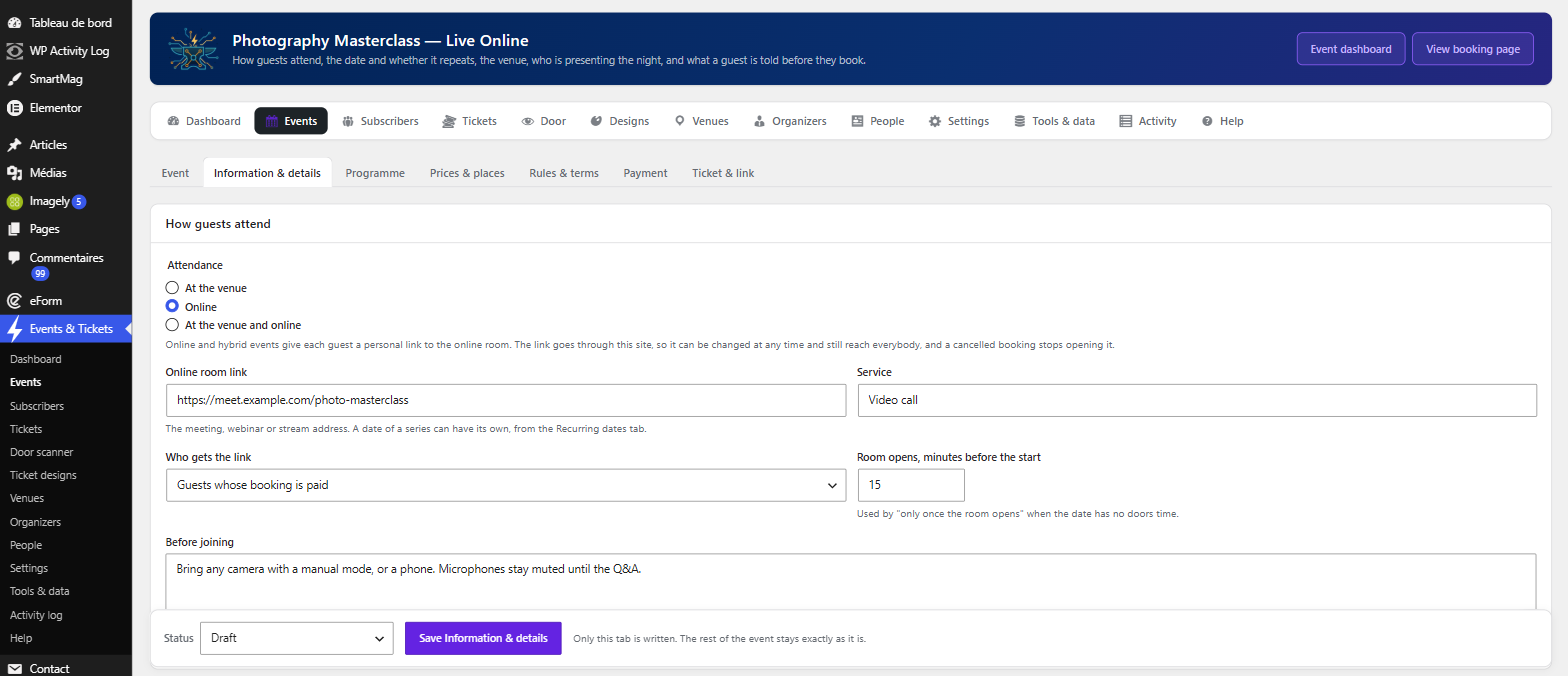
First, how guests attend — at a venue, online, or both — then the name, the date, and whether it repeats. An online event skips the room entirely; a repeating one is set up once for all its dates.
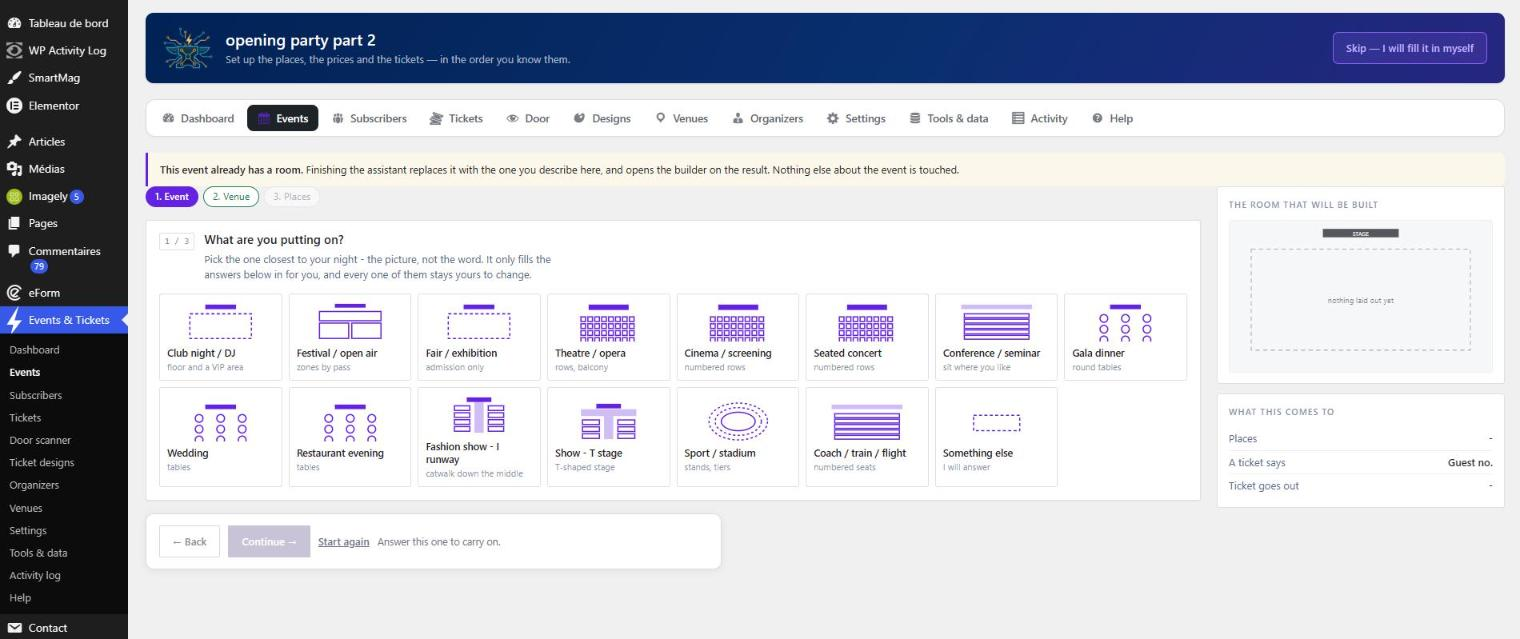
Creating an event opens the assistant, and it starts with a drawing rather than a word: fifteen kinds of event, each one sketched — a standing club night, a banquet of round tables, a theatre, a podium in I and a podium in T, a stadium, a classroom, a transport hall. You point at the one that looks like your room. Nothing is decided for you by that choice: an archetype fills the answers in, and every one of them is still yours to change.
From there each answer decides the next question, and nothing is asked twice:
- Are places numbered, or is it a headcount at the door?
- How is the room laid out — tables in rows, rows of chairs, or no order at all?
- How many rows, how many tables to a row, how many chairs to a table?
- Are there levels? A balcony, a gallery, a terrace.
- Which parts of the room are sold, at which price, under which name?
- Do guests buy a ticket, or simply reply — free, and confirmed at once?
- How are you paid — card, or by hand? And what should someone paying by transfer be told?
- Does the ticket leave immediately, or once you have assigned the places yourself?
- Who chooses the place: the guest, or you?
While you answer, the panel beside you draws the room as it is being described, shows the prices exactly as the booking page will show them, and shows the line the ticket will print. You are not guessing what you configured; you are watching it.
And the assistant owns nothing. It adds no setting of its own and keeps no data of its own — it fills in the panels that already held each answer, and every one stays editable field by field afterwards. An assistant that knows something the editor does not is a second source of truth, and this plugin has already paid that bill once. For the same reason it refuses to rebuild the room of an event that already has bookings: a table number somebody has been sold has to keep meaning the same table.
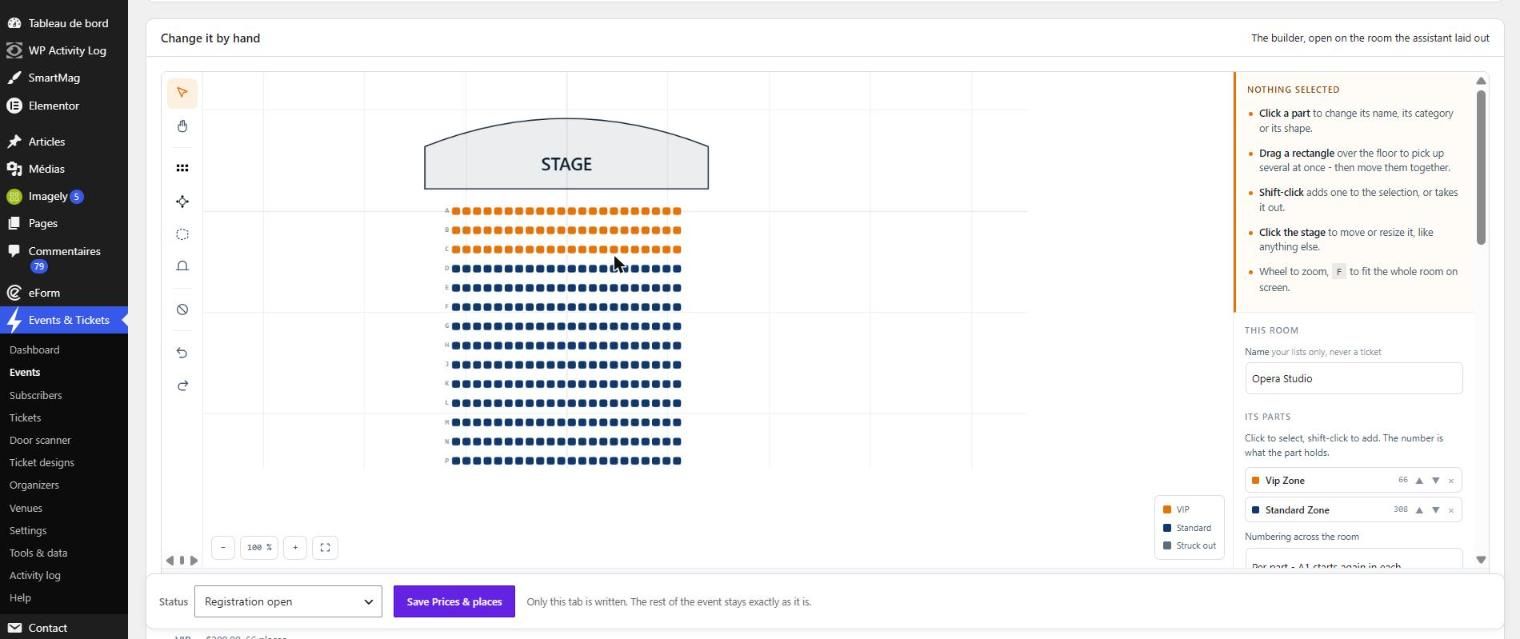
If you would rather draw than describe, the room builder is the other door into the same result. Drag tables and rows onto a plan, rectangle-select a whole block or shift-click your way through one, align them, space them evenly, nudge them with the arrow keys, and drop in a stage, a bar, a door. The plan you draw is the plan your guest picks a place from, and the plan you watch filling up on the night.
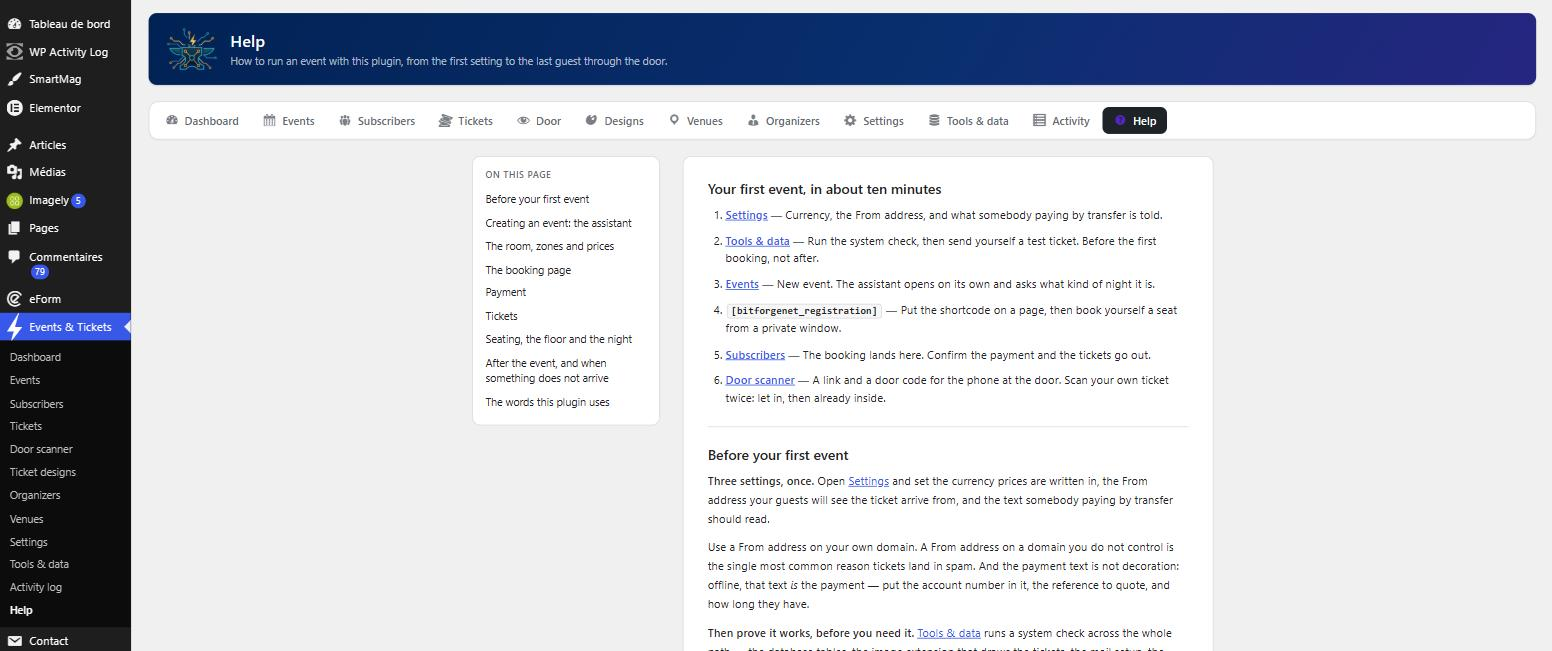
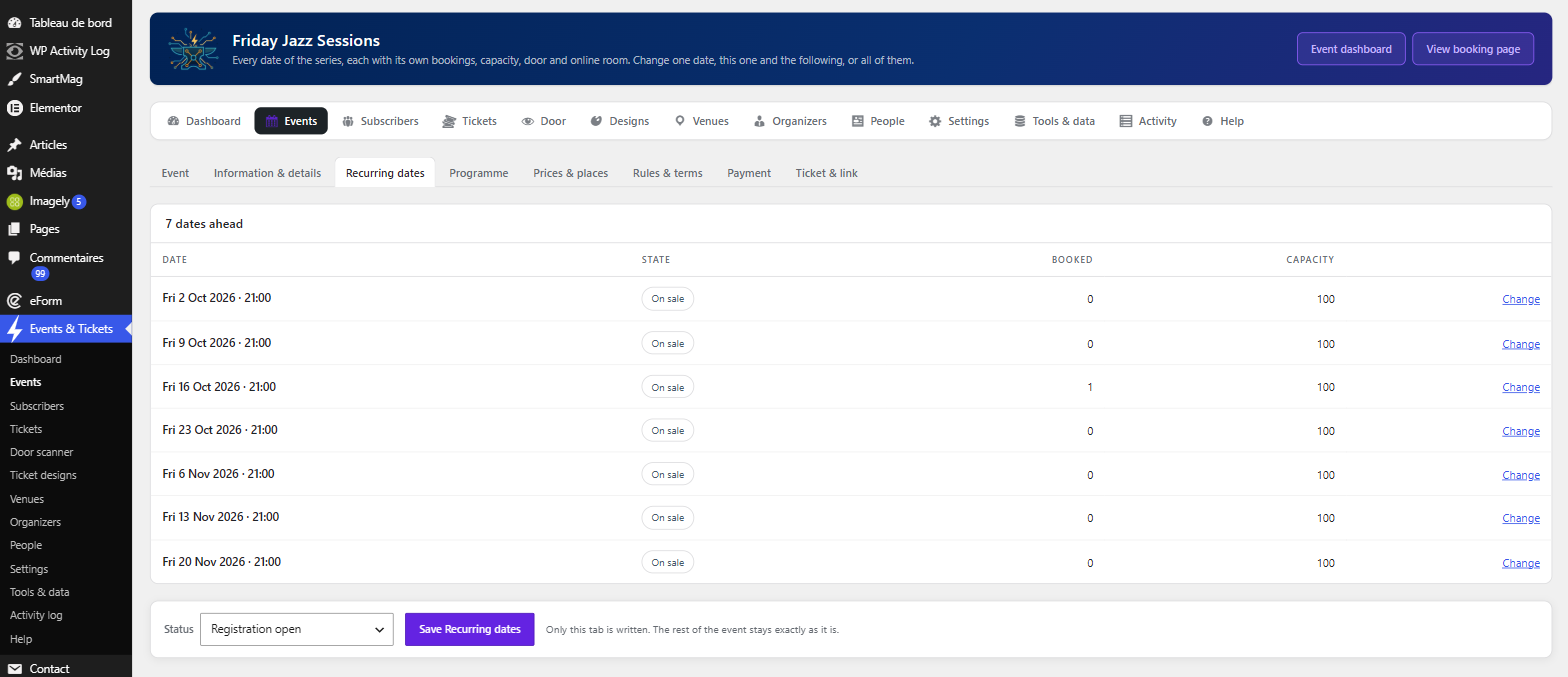
Thirty-six screens, from the first question to the door.
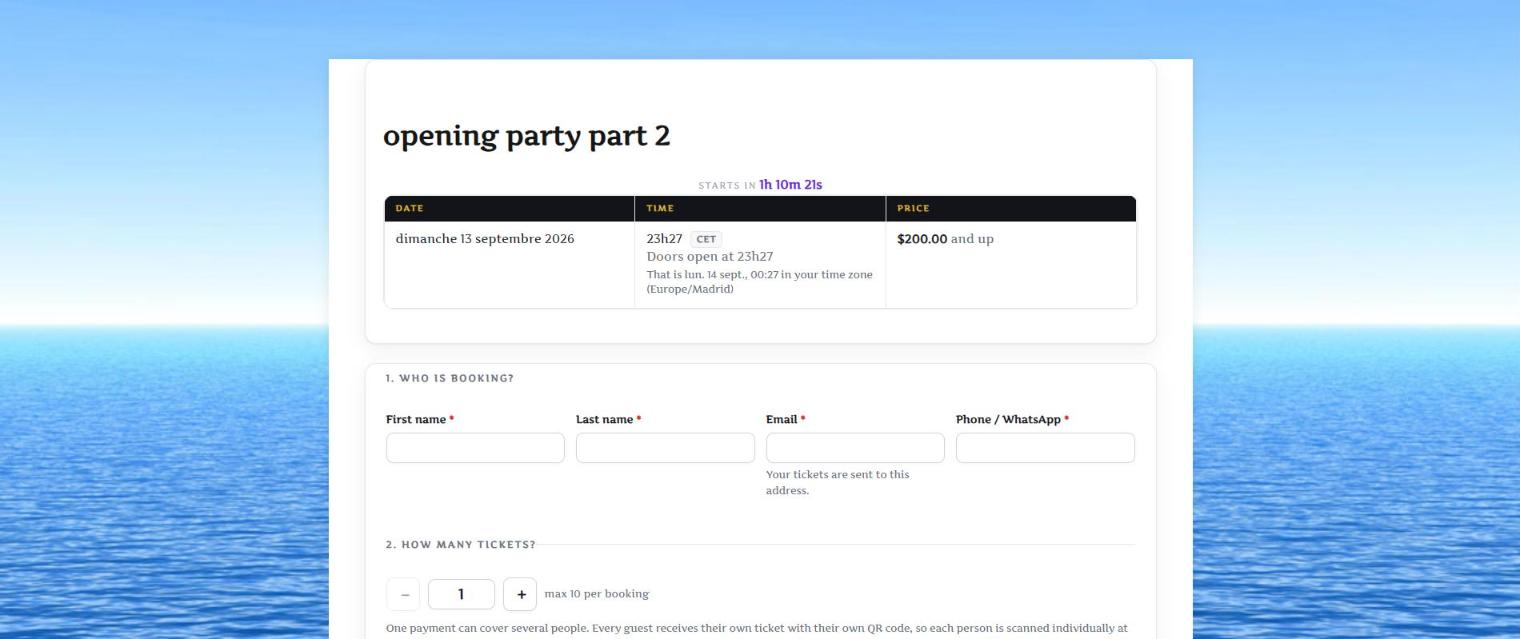
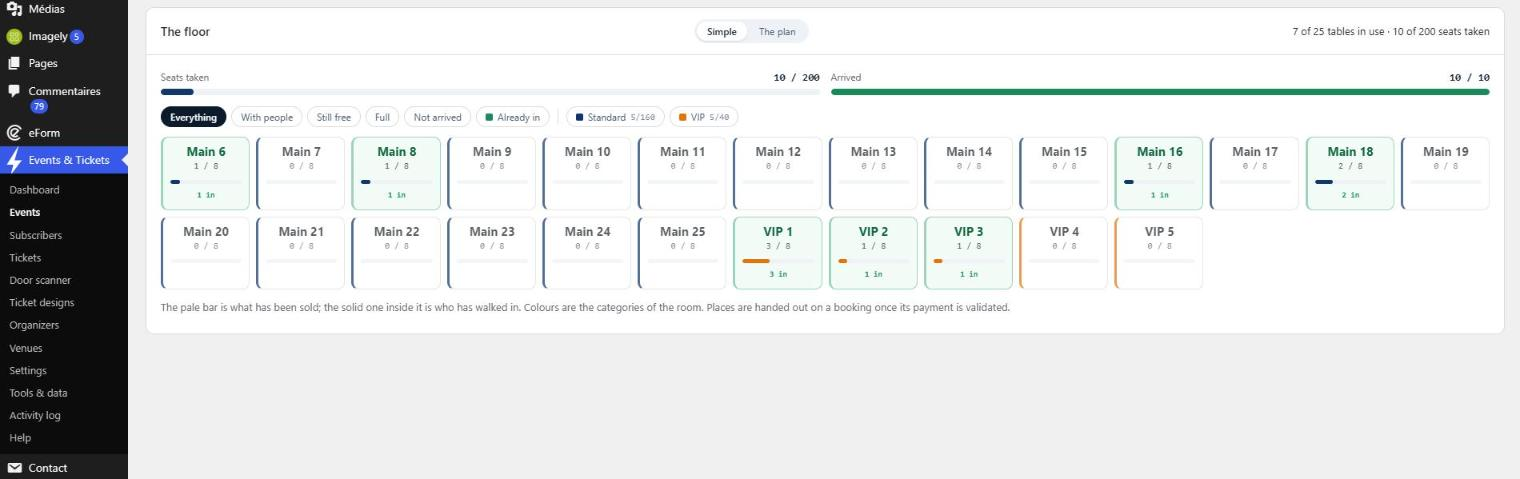
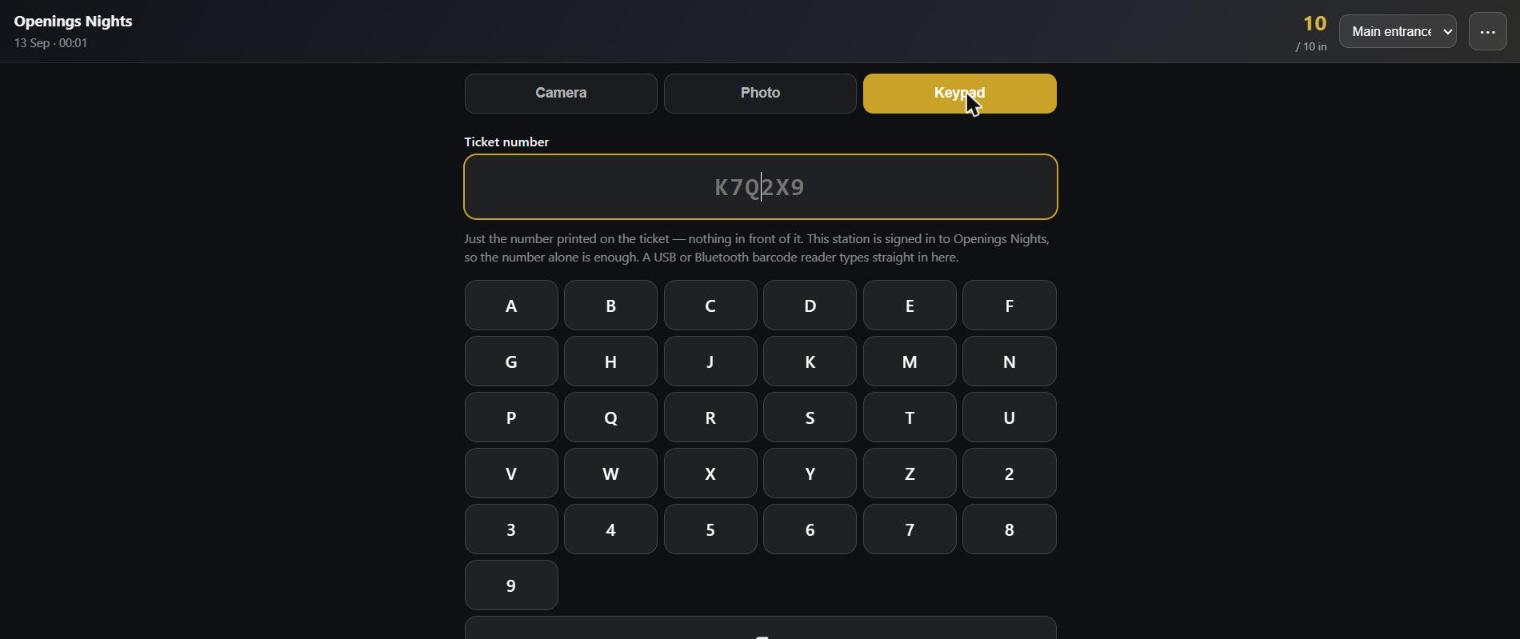
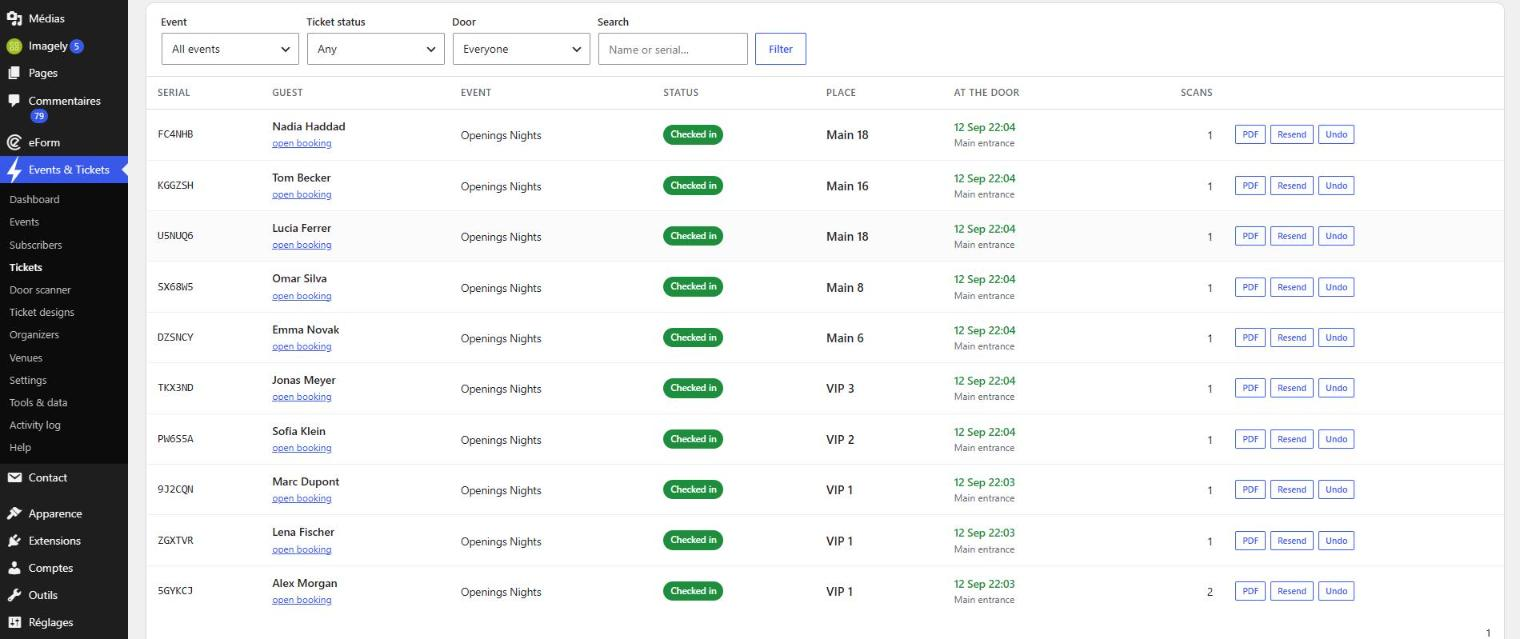
Installed in your language, not waiting for a translator.
English, French, Spanish, Portuguese, German, Italian and Arabic — seven finished catalogues in the download, not a promise that somebody will get to it.
It works the language out for itself. Whatever WordPress is set to, the plugin follows, and it follows by language rather than by locale: pt_BR, pt_PT and pt all land on Portuguese, ar_DZ, ar_MA and ar_SA all land on Arabic. A site in a language it does not have falls back to French rather than serving a screen that is half one language and half another. If your site is in one language and your guests read another, one setting says so outright.
Everything, not just the buttons. The booking form the guest fills in, the emails they receive, the door station held at the entrance, the admin screens you work in — and the ticket itself, which is the piece that usually gets left behind because it is a drawn image rather than a web page. Dates too: the month and the weekday come out of the plugin's own catalogue rather than WordPress's, so a French ticket never prints September under a French heading.
The language travels with the booking. A guest who booked in Spanish is answered in Spanish, including a ticket re-sent months later from a screen you are reading in French. Your own words stay yours: event titles, venue names, payment instructions and the success message are your text, and the plugin will not rewrite them.
Arabic that is actually Arabic
Arabic letters change shape depending on what stands beside them, and the line reads right to left. The library that draws tickets does neither — which is why Arabic on a ticket is usually a row of disconnected letters running backwards. This plugin joins the letters and orders the line before anything is drawn, and carries an Arabic typeface to draw them with. A time, a price, a table number or a ticket reference still runs the other way inside the sentence, exactly as it should.
Right to left, where it belongs
The admin screens, the booking form, the emails and the door station all turn around. Only the plugin's own containers: the rest of your site keeps the direction it had. A seating plan is never mirrored — table 1 stays where table 1 actually is, because the plan is a drawing of a real room.
The whole evening, not a piece of it.
One event, many dates
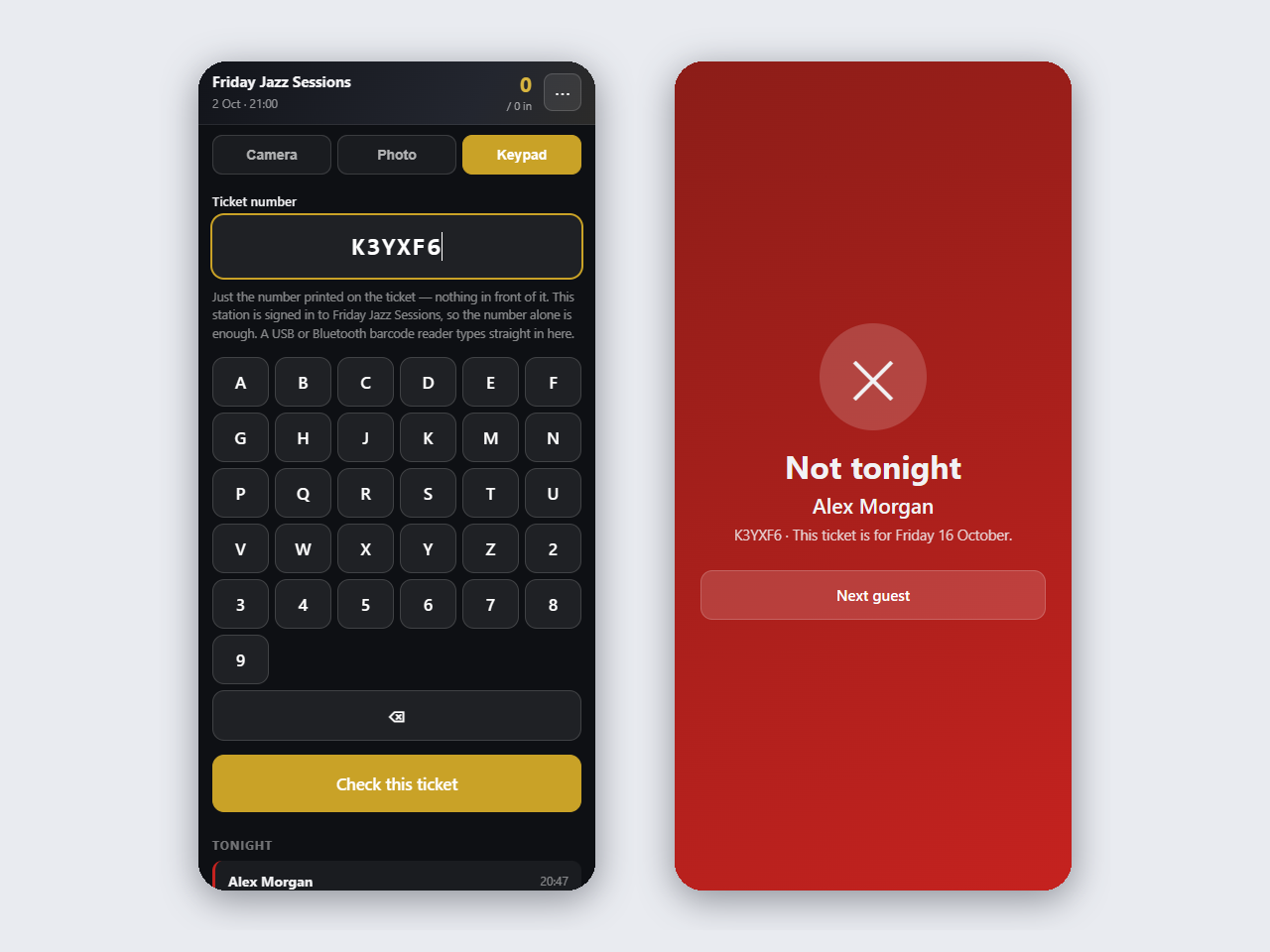
A weekly club night, a play that runs for a month: one event with several dates, each with its own bookings, capacity and door. Change one date, the following ones or all of them; a date somebody has booked is never moved with the others. At the door, a ticket for another date is refused as not tonight.
Online, at the venue, or both
The first question of every event. Online, nobody is seated and nothing waits for a place. Each guest gets a personal join link through your site, checked when it is clicked — so the meeting link can change at any time and still reach everyone.
Invitations as well as tickets
Any category can be a free reply instead of a sale, confirmed the moment the guest answers — with a QR ticket, or just their name on the list. When every category is a reply, the booking page becomes an invitation: count me in, or I can't make it.
Speakers, performers and the programme
Describe the people who appear once and put them on any event. Each event has a line-up, shown on the page and printed on the ticket, and a programme of sessions — day 2 at 00:30 included.
A calendar, and a page for every event
An agenda in four views for your guests, one for you under Events, and a page for every event, date, category, venue and organizer — in your site's language, with the links already shared still working.
In your guests' calendars, and in search engines
Add to Apple Calendar, Outlook or Google Calendar from the thank-you page, the first email and every night of the agenda. Every page tells search engines what it is, in the format they read.
Your emails carry your name
The top of every email is your event and its organizer, in colours worked out to stay readable on your brand colour. The plugin's name appears nowhere, unless you choose to add a small credit line.
Every guest is a person, not a number
A booking for five asks for five names, and each one gets their own ticket with its own QR code. One code cannot let five people in, and the door knows who is standing in front of it.
The room is an inventory, a zone is an interval of it
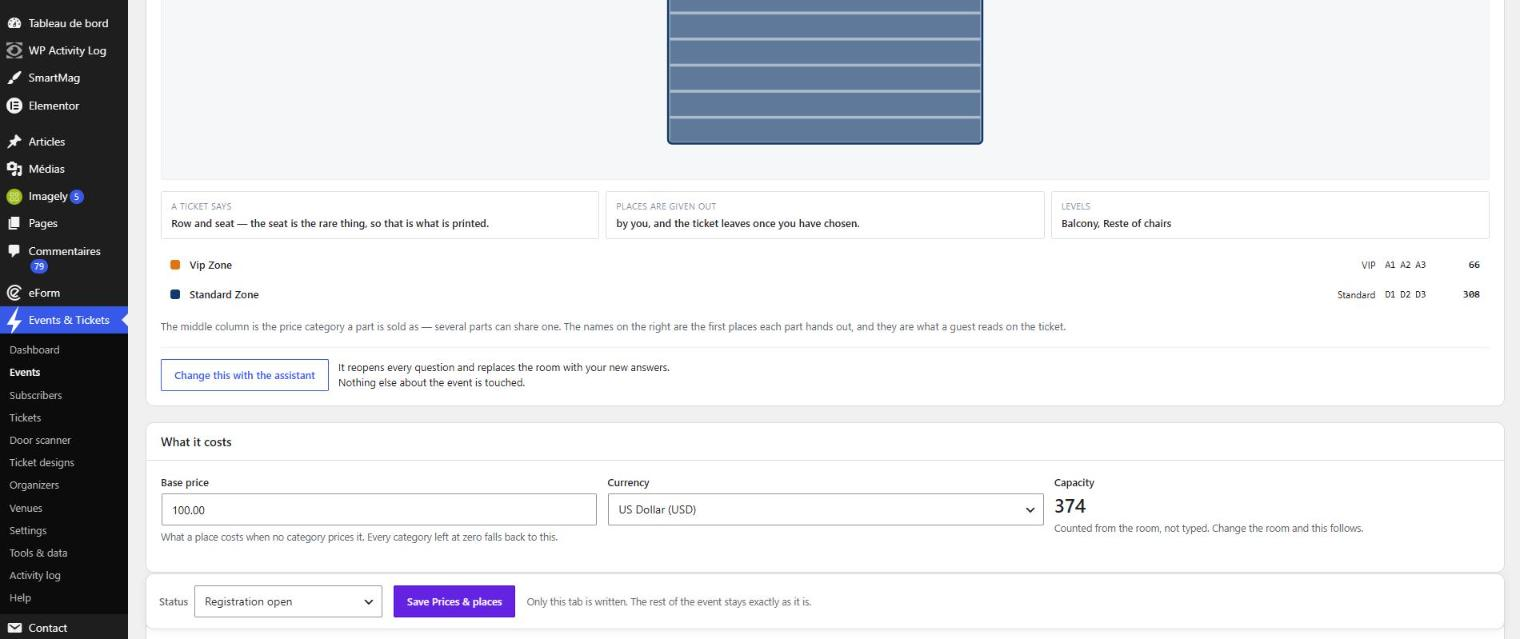
Say the room once and the plugin numbers every place in it. A zone then claims a slice — tables 1 to 5, the balcony — so nothing can be sold twice and nothing is quietly lost. A price category is a name and a price that several zones can share: the page sells the categories, the ticket prints the zone.
Standing room and numbered seats, in the same night
Each zone says for itself whether it controls access only or exactly where each person sits. A standing floor, a seated balcony and a numbered block can all belong to one event.
The form knows what is left while it is being filled in
Counted against what the page was rendered with, what the lines above have already taken, and what somebody else is taking in another browser right now. An option with nothing left is greyed out, never silently swapped — and the real guarantee is not in the browser: the event is locked, the places recounted, the booking refused at the moment of writing.
Payment on your terms
Take the money yourself — transfer, WhatsApp, cash — and the tickets go out the moment you confirm. Or add your own Stripe key and let the card do it: the guest pays on Stripe's own page, their places are held while they pay and released if they walk away. The money goes straight to your Stripe account. This plugin is never in between, and takes nothing.
Tickets that look like tickets
100 × 250 mm at 300 dpi, the QR engraved into the artwork, delivered as a PDF by email — with a download link beside it, because mail servers strip attachments more often than they admit. The studio takes your own artwork and a visual field map for every printed field.
A door station on any phone
No app to install. Open a link, enter the door code, scan. Live counters, several stations at once, and a printable roll-call list for the evening the wifi fails.
Moving somebody who already holds a ticket
Treated as what it is — a re-issue, not an edit. The screen states the three consequences, the buttons stay dead until you type edit place, and then the old ticket stops working at the door and a second email goes out.
Seven languages, and it brought them with it
English, French, Spanish, Portuguese, German, Italian and Arabic, finished and in the download. The plugin reads the language your site is set to and follows it; a site in an eighth language falls back to French rather than showing half a translation. Everything is covered — the form, the emails, the dates, the door station, and the words printed on the ticket itself.
Your data stays on your server
Guest names, bookings and tickets live in your WordPress database. Nothing is sent anywhere, and nothing phones home.
Your first event, in about ten minutes.
1 · Install it. Plugins → Add New, search for Events and Tickets, install, activate. A new Events & Tickets menu appears in the sidebar.
2 · Set three things, once. Settings → your currency, the From address your guests will see, and the text somebody paying by transfer should read. That last one is not decoration: offline, that text is the payment.
3 · Prove the email works before you need it. Tools & data → run the system check, then send yourself a test ticket. Do this now, not on the night. Almost everything that goes wrong on a first event goes wrong here, and it takes a minute to find out.
4 · Create the event. Events → New event, then let the assistant ask. Pick the drawing that looks like your room, answer as far as it takes you, and watch the panel on the right build the room, the prices and the printed line while you go.
5 · Give your events a page. Settings → Event pages → Create the page for me. It lists every event to come, on the agenda, and each event has its own page under it with the booking form. Open your event from it in a private window and book yourself a seat — you will get the email your guests will get.
6 · Take the booking. It arrives in Subscribers. If you are paid by hand, confirm it and the tickets go out immediately. If you turned card payment on, it is already confirmed and the tickets have already gone.
7 · Open the door. Door scanner gives you a link and a per-event door code. Open the link on the phone that will be at the door, enter the code, allow the camera. Scan the ticket you sent yourself: it should say let in, and again should say already inside.
8 · Print the paper copy. The roll-call list, once, before you leave for the venue. The night the network fails you will not be reading this page.
That is a whole event. The full guide goes further — the room, zones and prices, the agenda and categories, seating, re-issuing a place, and what to do when something does not arrive.
Free, and installed like any other plugin.
Events & Tickets is free software under the GPL v2 or later, published through the WordPress.org plugin directory — the same place every plugin already on your dashboard came from. Installing it is the ordinary route: Plugins → Add New, search for Events and Tickets, install, activate.
Nothing in it is capped, metered, or waiting for a key. There is no per-ticket fee, no account to create, and no telemetry. The assistant, the room builder, the ticket studio, the price categories, the discount codes and card payment are all in the plugin you just installed.
A paid edition, when there is one worth paying for.
There is no Pro edition today, and nothing in the free plugin is waiting for one. What is being worked on is an edition that adds something genuinely absent — not a switch that turns on what you already installed.
It is not defined yet, and it is not for sale. If you would like to hear about it when it is, say so and you will be told once.
If it saved you a night, buy us a coffee.
Events & Tickets is free and stays free — every event, every ticket, every door. There is no paid tier to move up to and nothing to unlock, so a coffee is the only way left to say the work was worth something. It is never expected, and nothing changes if it never comes.